

Appearance
Build and operate an industrial gateway #
Turn data from industrial equipment into readings your customers can use. Operators can test a protocol connection, inspect captured traffic when communications fail, map raw signals to named engineering values, and send the resulting I/O mapping to the gateway.
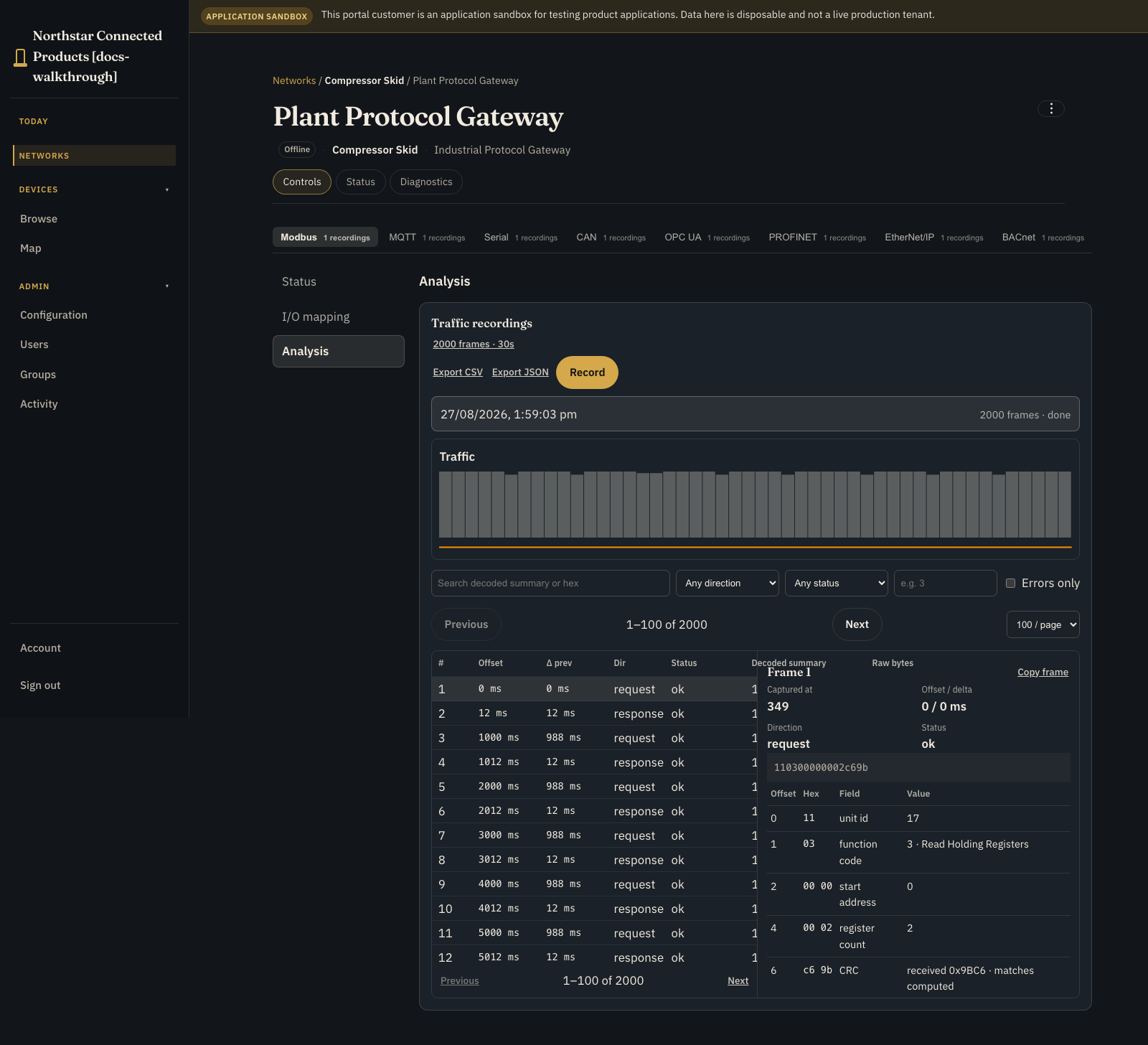
This guide builds that path from a reusable gateway definition to an operating customer portal. The worked example uses simulated Modbus and MQTT endpoints.
1. Define the gateway Device Class #
Create an Industrial Protocol Gateway Device Class. The industrial gateway kit has one required gateway slot, bound as gateway. Map that slot to a class with the following channels and actions.
Channels publish gateway data to Dataplicity. Create each one as a JSON channel:
- Gateway health (
gateway_health, required): reports whether the gateway agent and protocol runtime are healthy, including status such as online state and load. - Mapping applied state (
mapping_applied, required): reports the mapping generation actually running on the gateway so the portal can distinguish Settings live from Update pending. - Register explorer (
register_values, required): publishes raw addresses and values read from the protocol before scaling or conversion. - Engineering values (
engineering_values, required): publishes converted, named readings such as pressure in bar for customer-facing use. - Protocol exceptions (
protocol_exceptions, optional): reports timeouts, CRC or framing errors, protocol exception codes, and the related evidence reference when a transaction fails. - Capture evidence (
capture_evidence, optional): publishes JSON metadata for a completed recording: its evidence reference, protocol, status, and frame count, linking the gateway report to the stored capture. - MQTT broker state (
mqtt_broker_state, optional): reports whether the configured MQTT broker connection is available. - MQTT topic browser (
mqtt_topics, optional): publishes the discovered MQTT topic tree and active filter for browsing and mapping messages.
Actions send bounded commands to the gateway:
- Start protocol capture (
start_capture, required structured-object action): starts a bounded recording with the selected endpoint, duration, frame limit, direction, and protocol filter. - Stop protocol capture (
stop_capture, required trigger action): stops the active recording without requiring additional input. - Deploy mapping configuration (
deploy_mapping, required structured-object action): sends the selected mapping generation and its protocol-specific reading definitions to the gateway. - Proof communications (
proof_communication, required structured-object action): tests the selected endpoint with its connection settings and reports whether the protocol path responds.
The Device Class is the reusable hardware contract. Put its vendor-designed status and controls in UI Designer; that UI remains on device Controls beside the native workbench.
2. Connect a representative gateway #
Provision one staging gateway into the class and verify the agent, Product Runtime, protocol adapter, stream channels, and command handlers. Use a simulator or isolated bench equipment until connection tests, bounded capture, mapping deployment, and restart recovery are repeatable.
The workbench also provides simulated capture and mapping paths for raw serial, CAN, OPC UA, PROFINET, EtherNet/IP, and BACnet. Production connections require a qualified gateway-side adapter for each protocol. Equipment safety and real-time control stay with the local installation.
3. Apply the industrial gateway kit #
The current OEM Product Applications page has no industrial-gateway starter card. Create an empty application, then apply kit industrial_gateway version 1 through the Product Applications API or use the docs-walkthrough/reference seed.
The API route is:
text
POST /api/organisations/{org_hash}/product-applications/{application_id}/kits/apply/Send:
json
{
  "kit_id": "industrial_gateway",
  "version": 1,
  "slot_mappings": {
    "gateway_device": {
      "device_class_hash_id": "<gateway-class-hash>",
      "binding_alias": "gateway",
      "actions": {
        "start_capture": "start_capture",
        "stop_capture": "stop_capture",
        "deploy_mapping": "deploy_mapping",
        "proof_communication": "proof_communication"
      },
      "channels": {
        "gateway_health": "gateway_health",
        "mapping_applied": "mapping_applied",
        "register_values": "register_values",
        "engineering_values": "engineering_values",
        "protocol_exceptions": "protocol_exceptions",
        "capture_evidence": "capture_evidence",
        "mqtt_broker_state": "mqtt_broker_state",
        "mqtt_topics": "mqtt_topics"
      }
    }
  }
}Use an authenticated developer session and placeholders or environment variables; never paste a real bearer token into documentation or shell history.
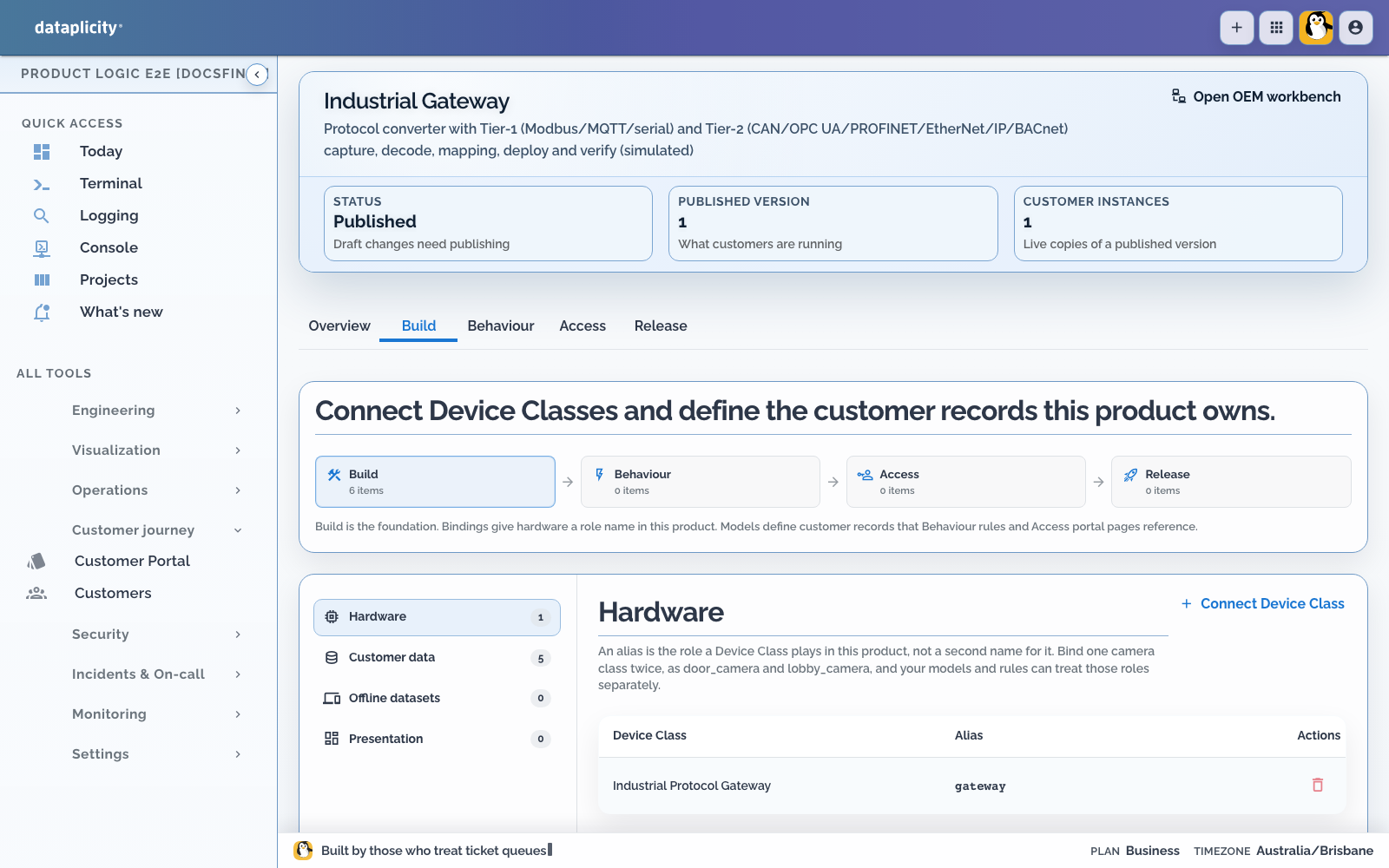
Review the generated gateway, interface, protocol endpoint, mapping, and capture-job models. Do not recreate them as a second application.
4. Publish and attach the portal #
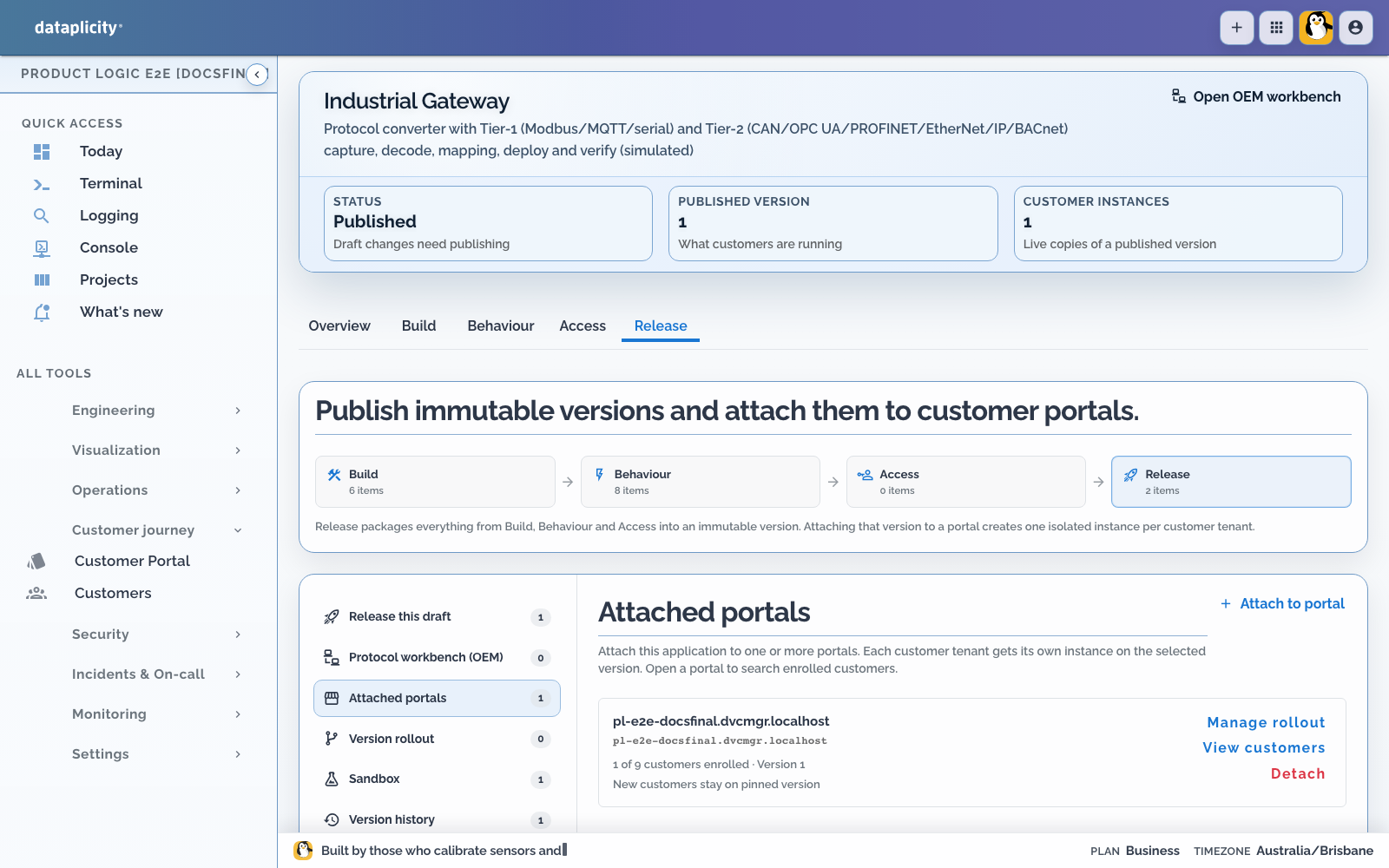
- Open Release and validate the draft.
- Publish an immutable version.
- Open Attached portals.
- Attach the published version to the intended Customer Portal.
- Confirm each customer tenant receives an isolated instance.
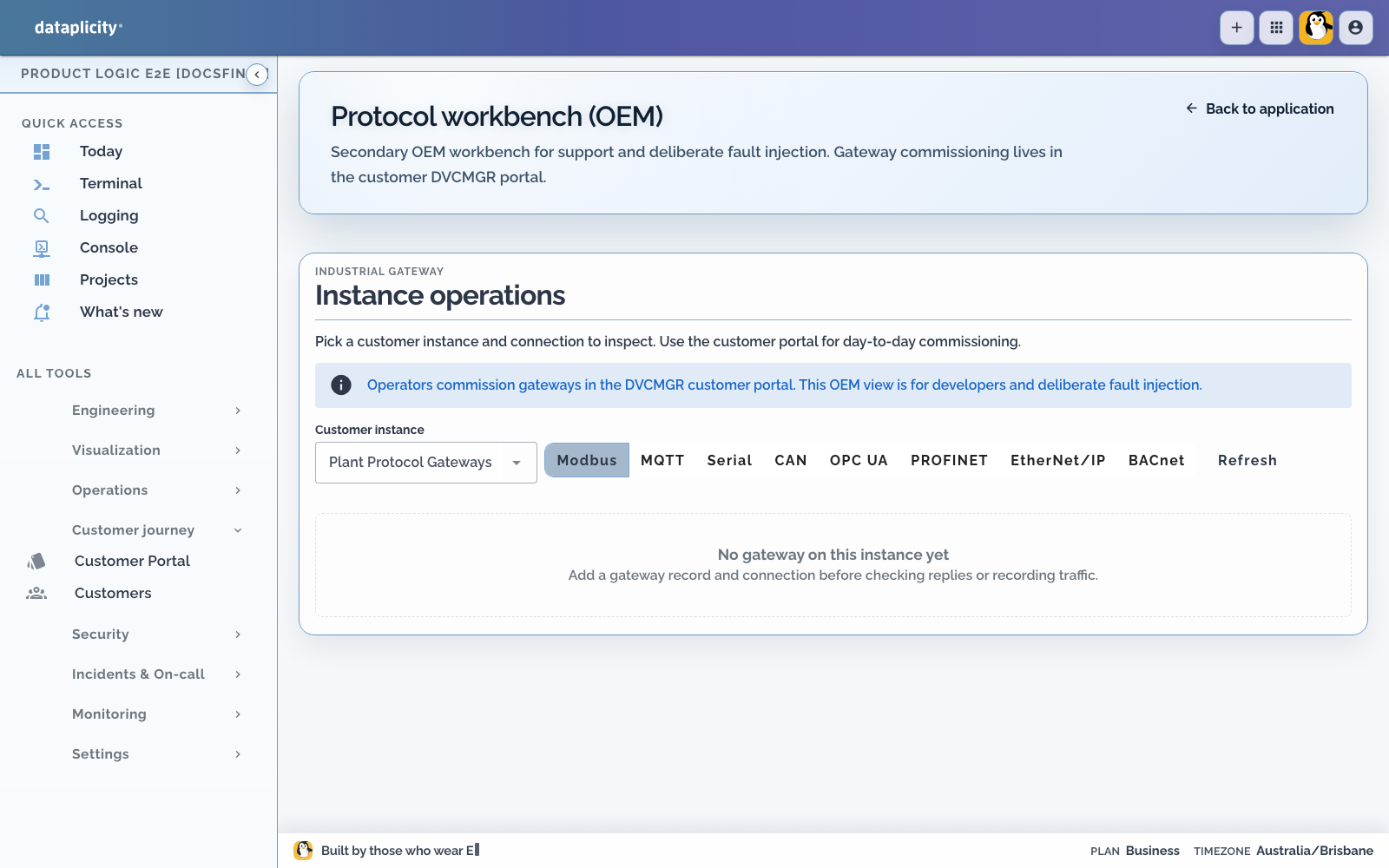
The OEM Protocol workbench (OEM) remains a secondary support surface for deliberate fault injection. Customer commissioning happens on the enabled device.
5. Place the gateway #
As the customer administrator:
- Open Networks and create the plant, skid, or other operating place.
- Open Devices.
- Confirm the online unassigned gateway is Ready.
- Assign it to the network; it becomes Enabled and app-active.
- Open the network, then the gateway.
Ready gateways do not have an active protocol workbench. Network placement is part of commissioning.
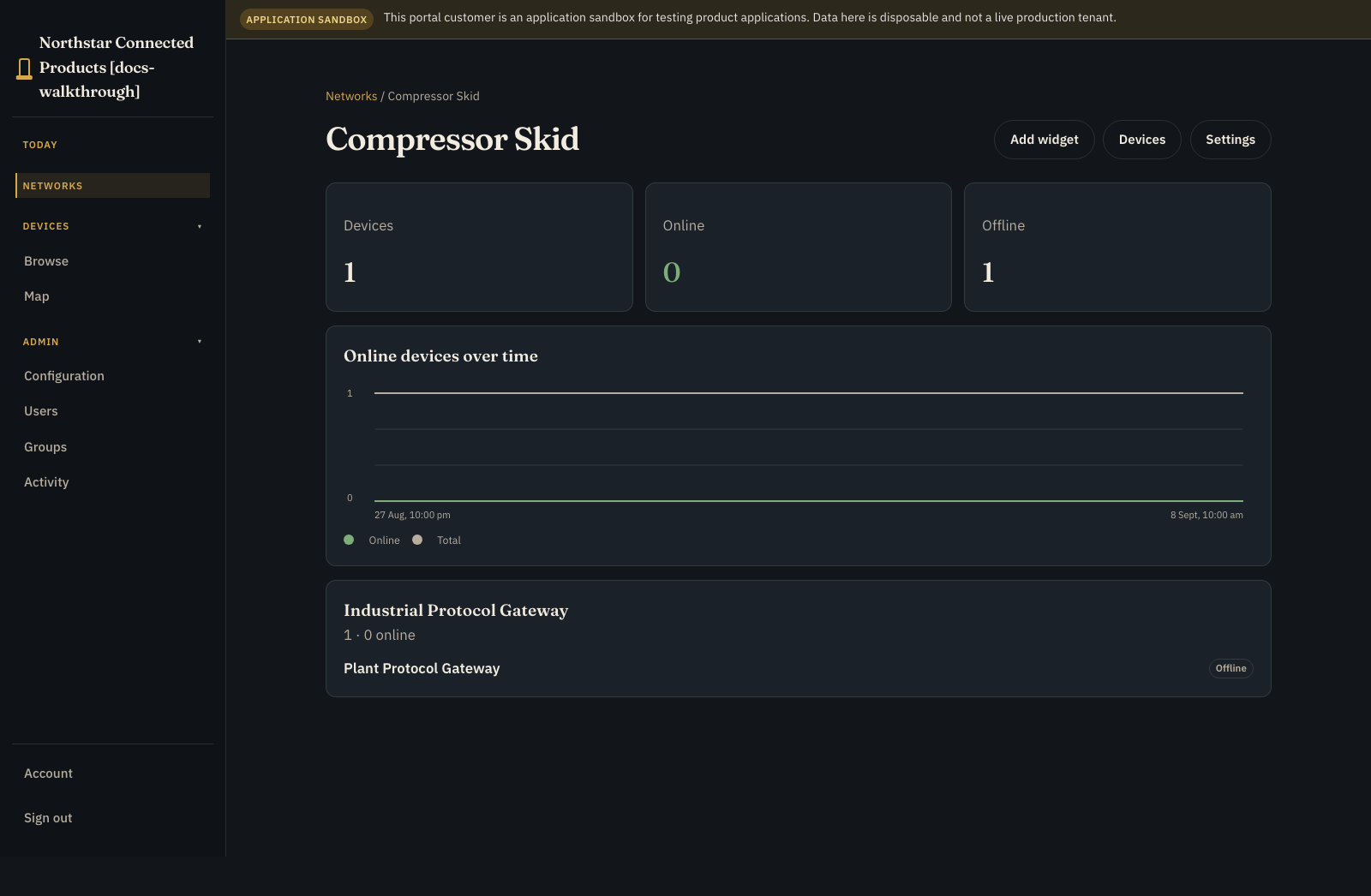
6. Understand the gateway device page #
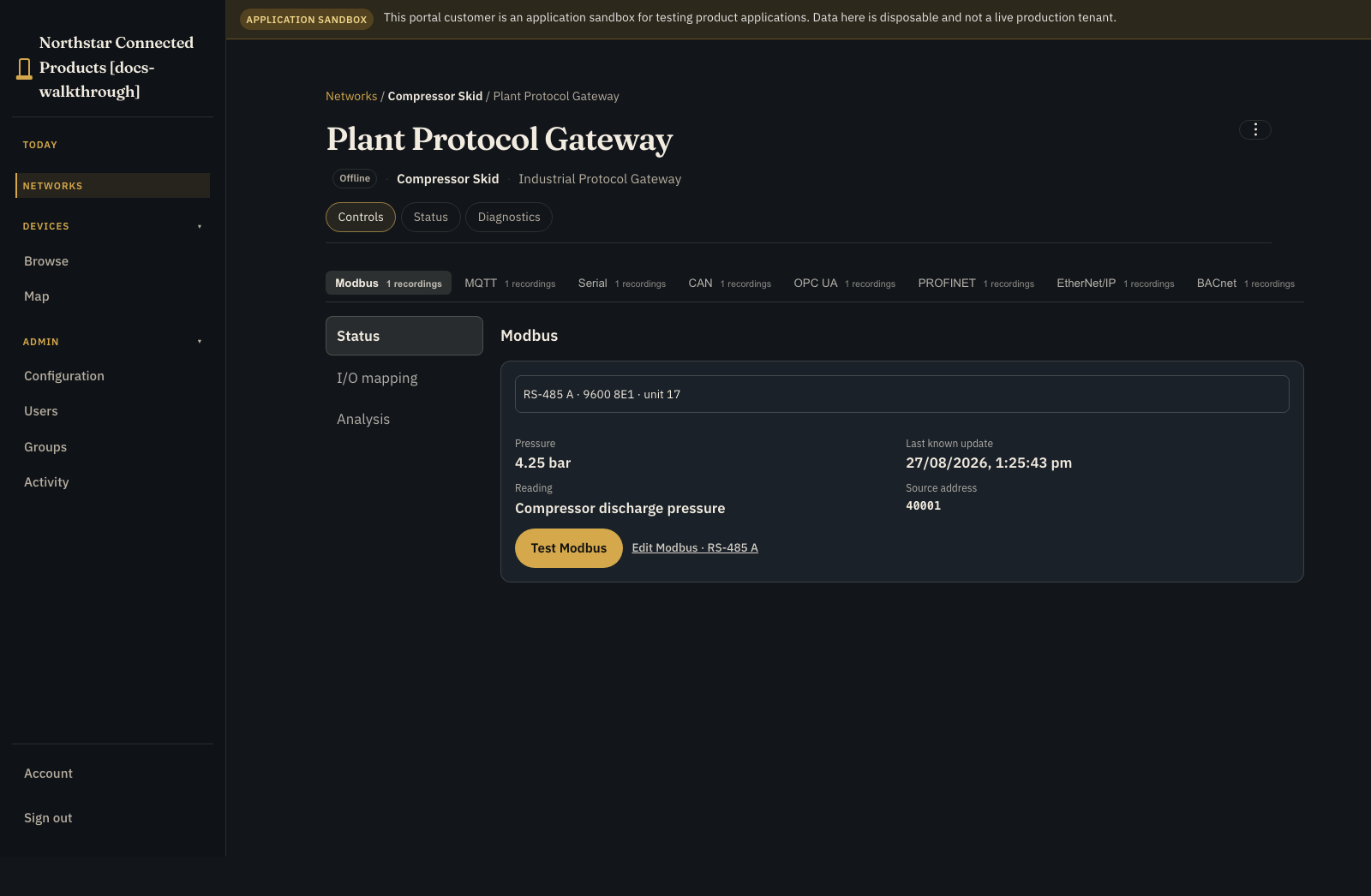
The device has three top-level tabs:
- Controls: vendor Device Class UI and native protocol workbench
- Status: identity, placement, presence, and connection quality
- Diagnostics: connection tests and permitted recovery actions
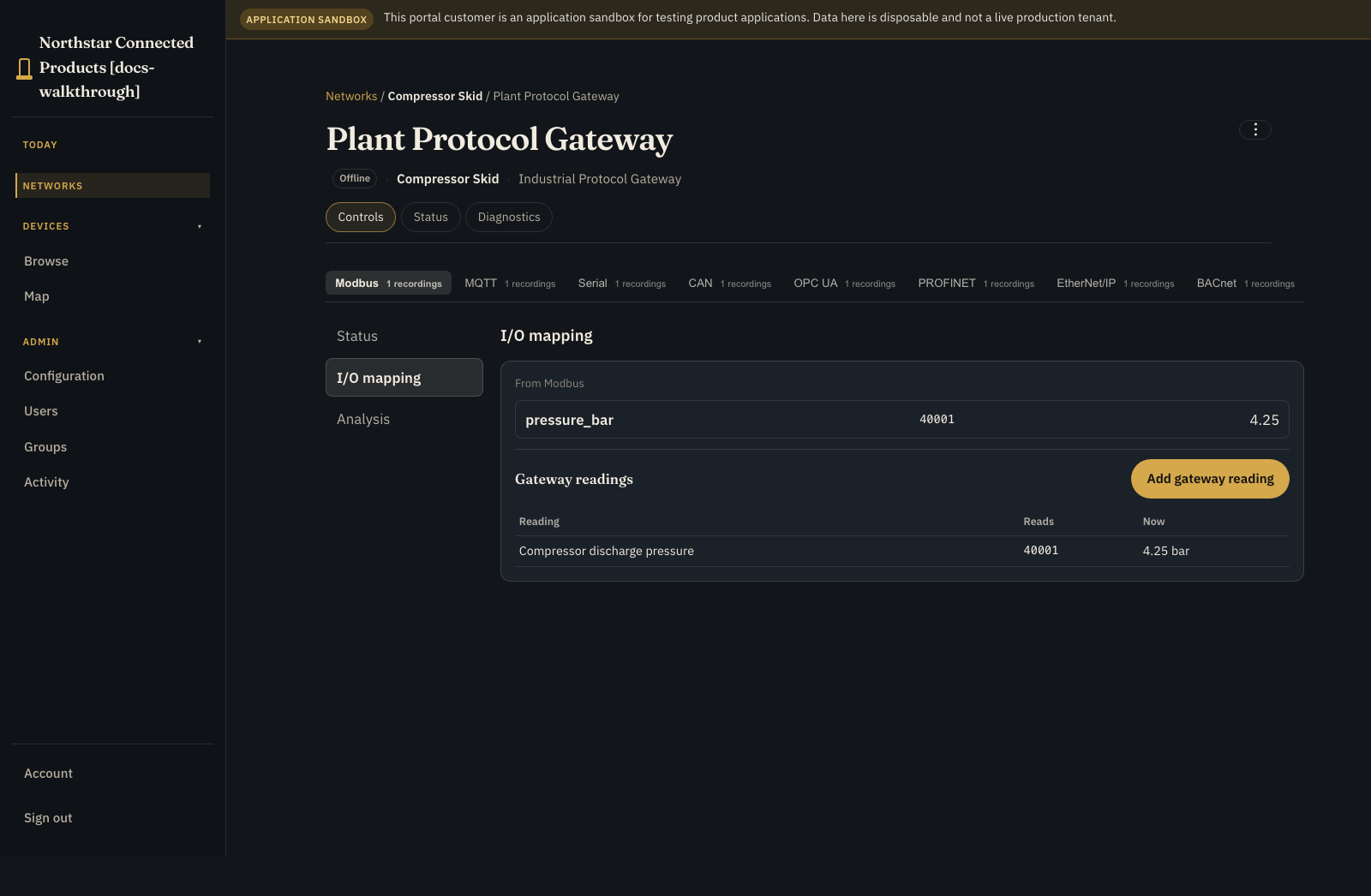
Rename, remove from network, and other administrative actions are in ⋮. Inside the workbench, the sections are Status, I/O mapping, and Analysis. Analysis is distinct from device Diagnostics.
Choose Modbus, MQTT, Serial, CAN, OPC UA, PROFINET, EtherNet/IP, or BACnet from the protocol strip, then work in the selected protocol's Status, I/O mapping, or Analysis section.
7. Configure the protocol connection #
Start on workbench Status, select the endpoint, and use Test Modbus or the equivalent protocol test. Values and timestamps are last-known cloud evidence, not a claim of millisecond live access to the plant LAN.
Open Edit Modbus for the fields delegated to the operator. A serial Modbus endpoint can expose baud, parity, stop bits, and slave ID; Modbus TCP exposes host and slave ID.
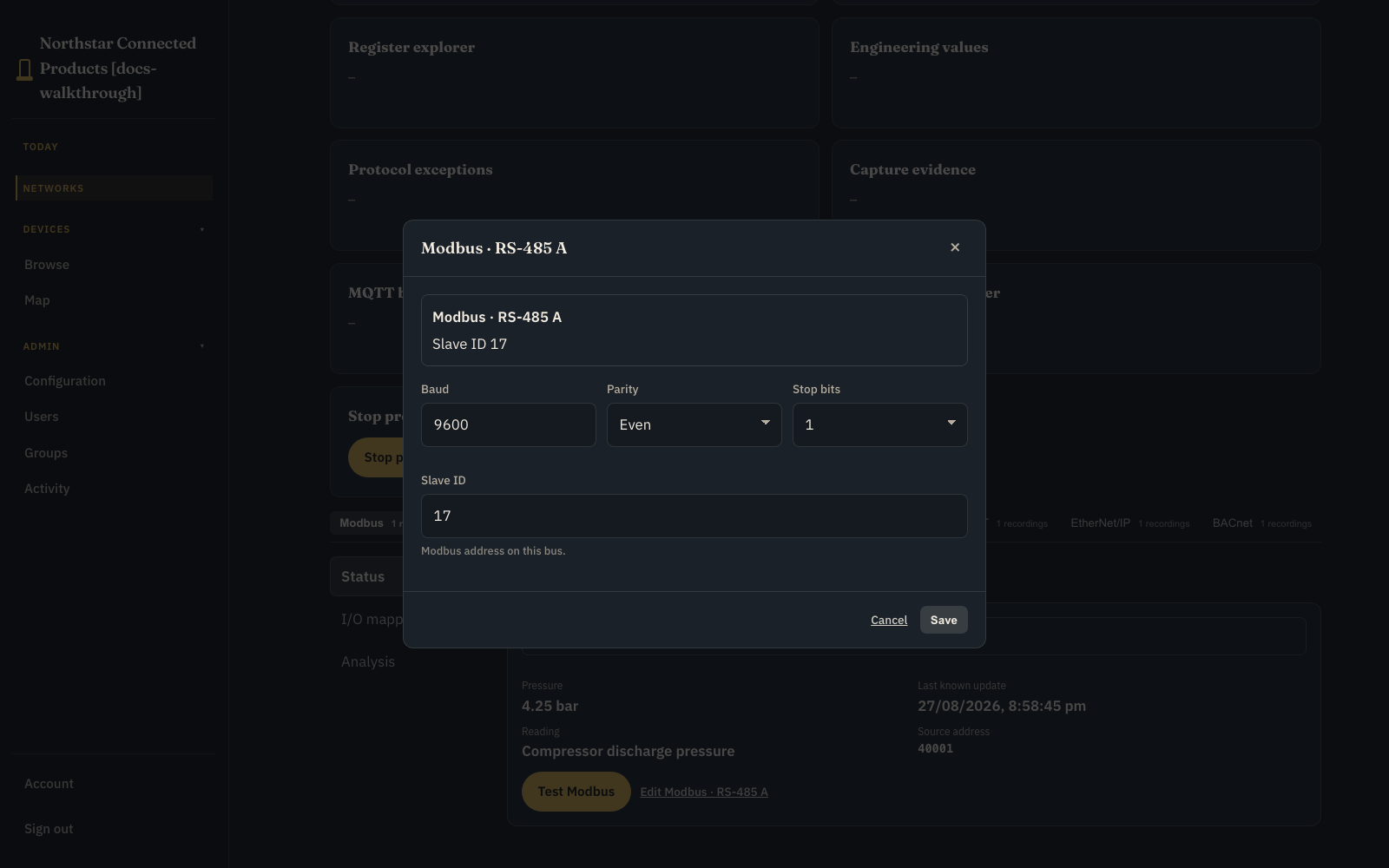
MQTT uses broker and topic filter instead of Modbus slave ID.
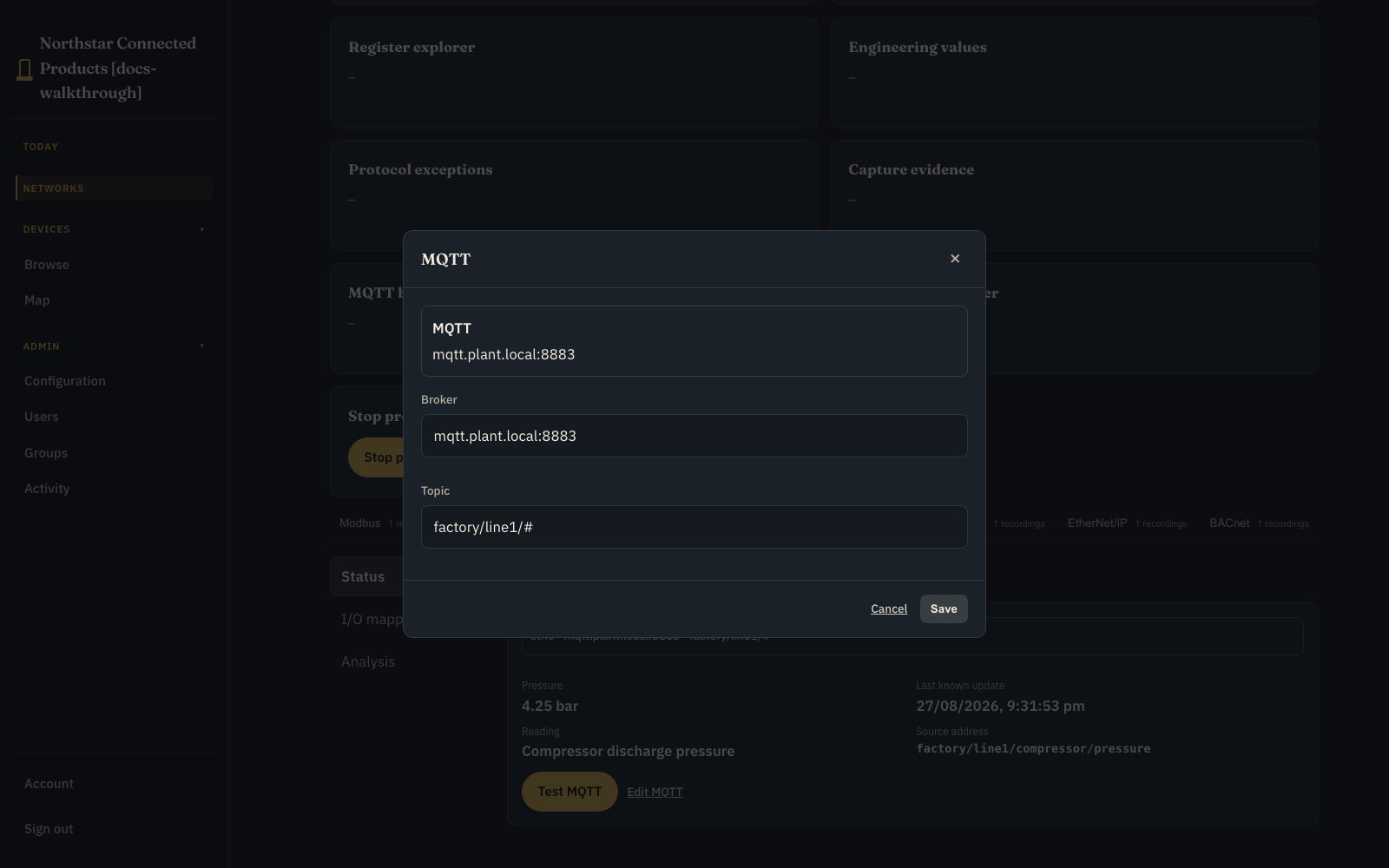
Other protocol forms follow the same rule: OPC UA URL and node, CAN bitrate, BACnet host and device ID, PROFINET station, or EtherNet/IP device address. Fields owned by immutable hardware, firmware, or OEM policy are omitted rather than displayed as disabled customer controls.
8. Map a reading and send it #
Open I/O mapping. Select a discovered value or choose Add gateway reading. Record:
- source address, topic, node, object, register, or signal
- type, byte/word order, signedness, mask, scale, and offset where relevant
- customer-readable name, semantic destination, engineering unit, and bounds
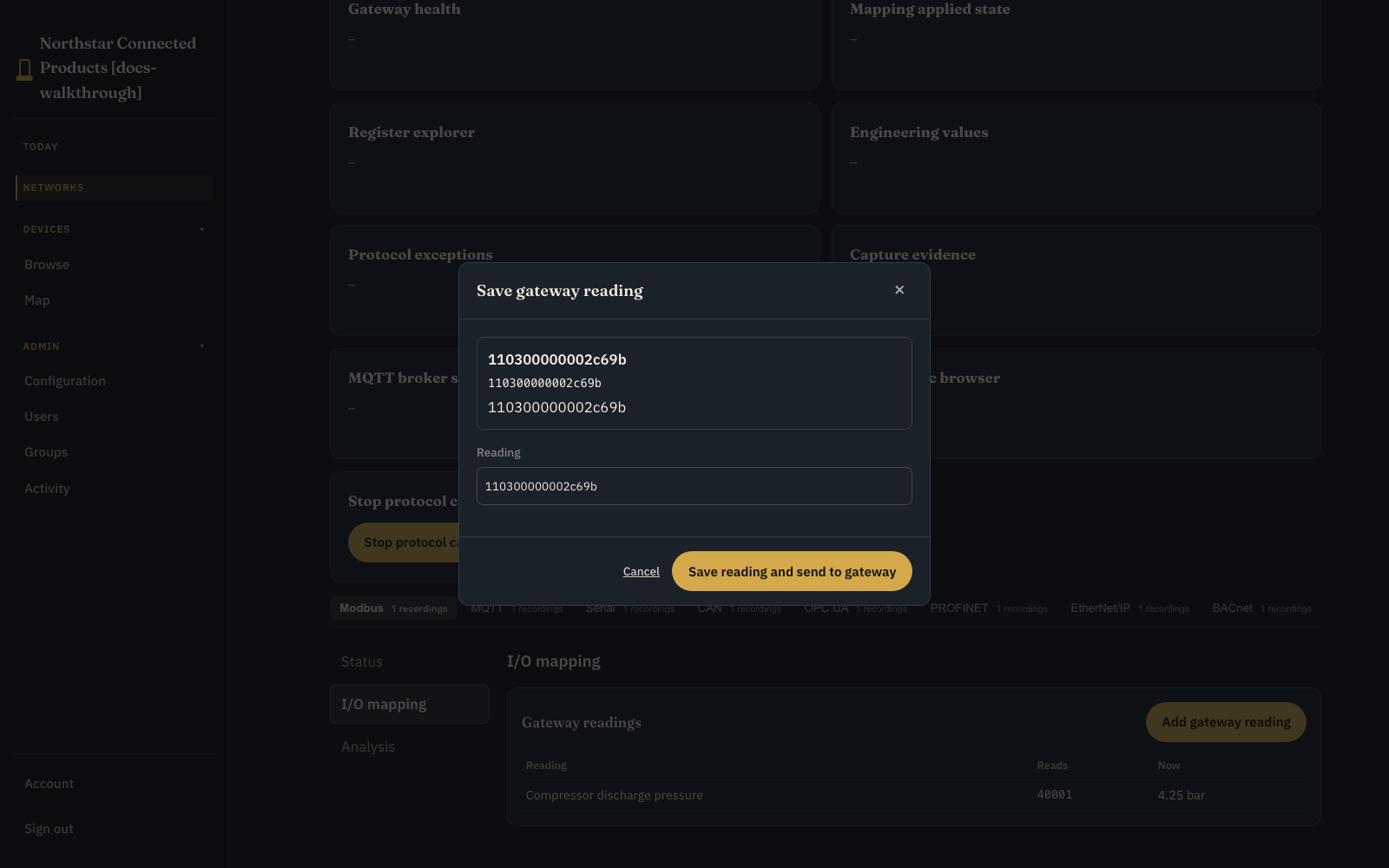
Save the reading and send the new mapping generation to the gateway. Settings live means desired and applied generations match; Update pending means the saved cloud mapping has not yet been acknowledged by the gateway.
9. Record and inspect traffic #
Open Analysis and choose Record. Set a bounded duration, frame cap, direction, errors-only option, and protocol-specific filter.
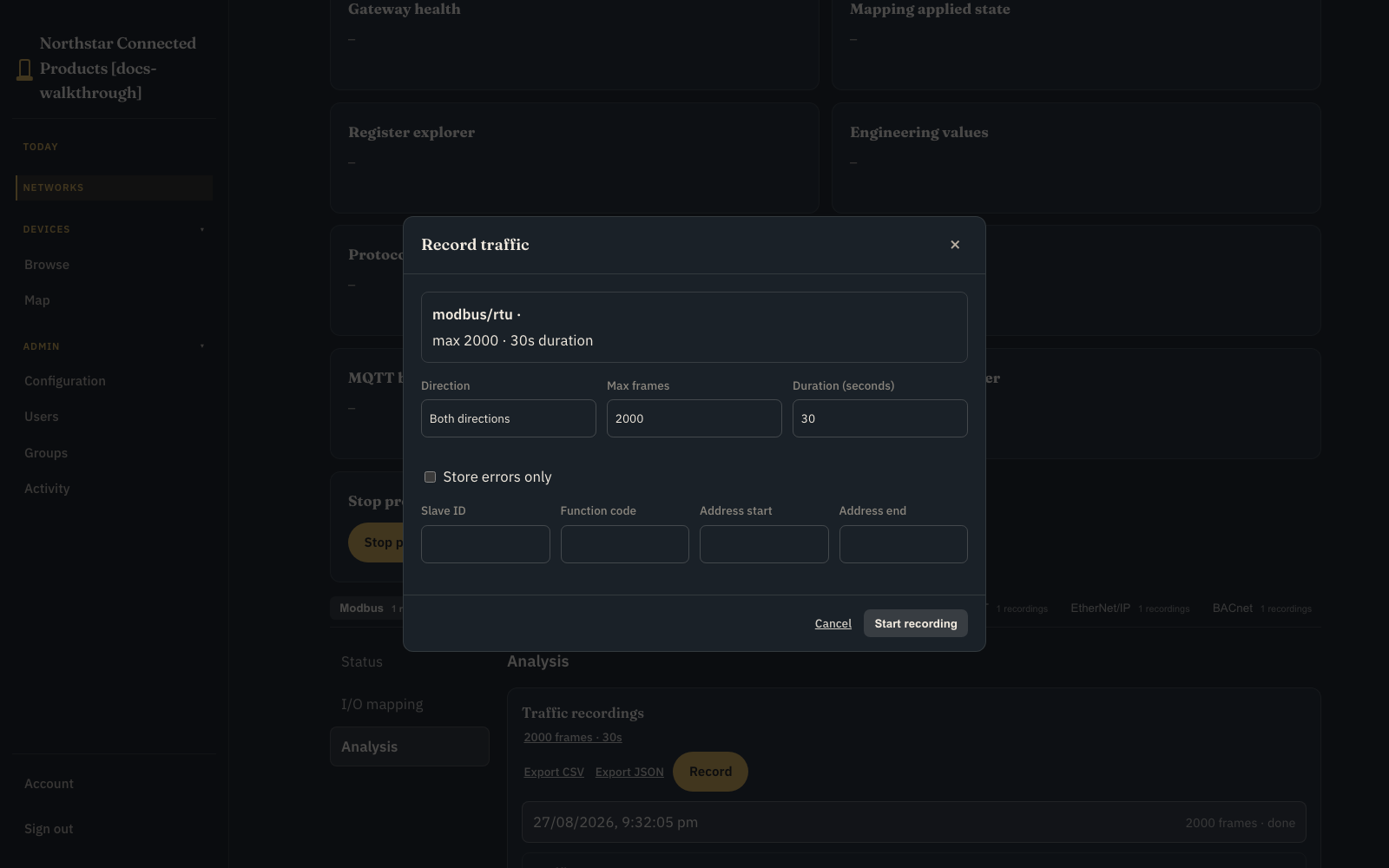
The gateway captures locally and uploads the completed recording. After it arrives:
- choose a past recording from the recording selector
- filter without changing the stored evidence
- page through historical frames with Previous and Next
- select one frame to inspect raw bytes and decoded fields
- export the filtered result as CSV or JSON
The local walkthrough uses a bounded simulated recording. Physical capture and large-recording object storage require the OEM protocol adapter and production transport.
10. Verify and hand over #
- [ ] Gateway is Enabled on the correct network.
- [ ] Vendor Device Class UI appears on Controls.
- [ ] Connection settings expose only delegated protocol fields.
- [ ] Test connection succeeds against isolated equipment.
- [ ] Saved mapping reaches Settings live.
- [ ] A bounded recording arrives and can be paged and exported.
- [ ] Device Diagnostics remains distinct from workbench Analysis.
- [ ] Viewer, operator, technician, and administrator permissions are tested.
- [ ] Another customer cannot see the gateway, settings, mappings, or captures.
- [ ] Physical safety and real-time control remain local.