

Appearance
Build a customer experience #
Give customers a branded place to see their devices, read data and use the controls you allow. Add an application when they also need to manage records or run workflows across devices and sites.
Remote access, logs, Pulse and fleet management work independently. If those are your job, go straight to fleet operations.
Give customers access to their devices #
A Customer Portal gives each customer their own view of assigned devices, data and permitted controls, in your brand.
Set up your first customer portal. Finish with a customer signing in and seeing their assigned device. You do not need to build a custom workflow to provide this experience.
Build records and workflows around devices #
A Product Application adds the work around the hardware: for example, customer records, schedules, approvals and processes that run across devices or sites.
Build your first Product Application, or build a Process if you already have an application and need a workflow. Use Product Applications explained for the underlying concepts.
Work through the design with a specialist #
Plan your application with support: explain your customer's task, then work through the records, controls, permissions and first testable release. Use Equidna for board and firmware integration, and Casa del Pingüino to include specialists in your engineering team's discussion.
Use a portal that is already set up #
Open the portal operator guide for day-to-day work with sites, devices and applications.
Complete walkthroughs #
Follow one worked example from setup to customer verification. These are alternatives, not chapters to read in order.
| Your product | Worked example |
|---|---|
| Linux appliance or industrial gateway | Linux appliance · Industrial gateway |
| Camera, level sensor or telemetry device | Camera · Level monitor · Telemetry |
| Customer records and workflows | Custom application · Paid Wi-Fi · Silo outload · HVAC schedules |
| Laundry payment and simulated vend | CM5 and T600 test checkout |
| A native application starter | Remote signage · Energy site |
| Edge inference or model-free camera analytics | Edge AI operations · Reference workloads · Model-free video analytics |
Decisions and reference #
Look up a question when it becomes relevant. You do not need to work through these before starting a guide. Platform terminology is available whenever you meet an unfamiliar name.
Architecture and adoption questions
Answer the architecture questions first #
Use these to check how Dataplicity fits your existing devices and systems.
- What does Dataplicity actually replace, and what do I still have to build?
- Can I add Dataplicity to an existing Linux product without replacing my OS or application?
- What exactly runs on my device?
- What happens when a device is offline?
- How does Dataplicity work behind NAT, firewalls, and cellular networks?
- What business logic should live in Dataplicity, on the device, or in my backend?
- Should we build the post-shipment connected-product stack ourselves or buy it?
- How do I migrate an existing Linux installed base to Dataplicity?
Production, security and operating boundaries
Production and operating answers #
Use these when moving from a prototype or existing fleet into a repeatable production operating model.
- How do we manufacture, provision, allocate, and hand over devices to customers?
- How should desired and reported configuration work?
- What are the guarantees and limits of remote command execution?
- What are the guarantees and limits of telemetry delivery?
- How are customer, site, and device tenants isolated?
- What are Product Applications for, and what should stay in our own backend?
- How do offline datasets work?
- How do we operate edge inference without assuming an unshipped AI control plane?
- How do we integrate Dataplicity with ERP, CRM, billing, and external APIs?
- How do we run a fleet change and independently verify the result?
- How do we offboard from Dataplicity and preserve portability?
Compare platform choices
Compare platform choices #
These comparisons are architecture guides for technical buyers, not feature-score marketing. They are based on current first-party documentation, state where the other product is the better fit, and separate shipping capability from roadmap.
- Dataplicity vs Tailscale: when do you need more than remote networking?
- Dataplicity vs Mender: fleet/customer operations vs specialist OTA
- Dataplicity vs balena: one managed OS, or the image you choose
- Dataplicity vs qbee: Linux fleet management vs connected-product operations
- Dataplicity vs AWS IoT and Greengrass: integrated product layer vs AWS building blocks
- Dataplicity vs IoT application platforms: device operations vs dashboards and digital twins
Product patterns and implementation reference
Start from a product pattern #
The same platform primitives should produce different customer products, not one generic device dump. These reference architectures show the product boundary, support workflow, data/control contract, and customer experience for representative product types.
- Linux / edge software appliance
- Industrial controller or gateway
- Silo, tank, and level monitoring equipment
- HVAC and building systems
- Camera and CCTV products
- Remote signage and commercial appliances
Define the product once #
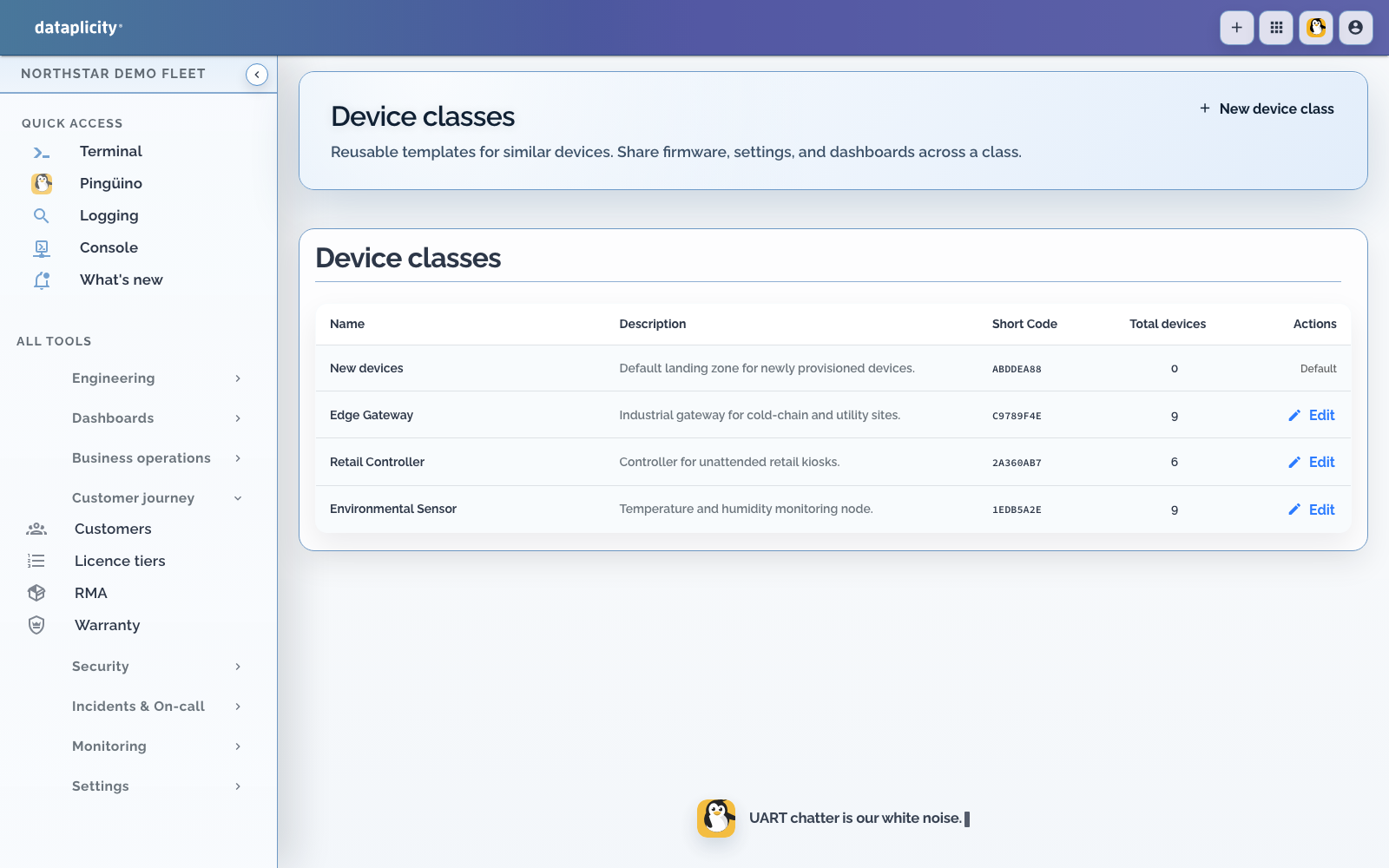
- Device Classes define the hardware and product model.
- Streams, actions, and settings define its stable product contract.
- Product UI designer turns that contract into the customer page.
- Software workspace combines class I/O, containers, optional OS selection, Builds, cohorts, and delivery evidence.
- Customer Portal creates the downstream customer boundary and operating application.
Build and prove a Product Application #
Use the Product Application workspace as a development lifecycle rather than a collection of unrelated forms:
- Build a Process for durable customer and device workflow.
- Choose Cloud, Edge, or Mixed placement for the failure and connectivity model you actually need.
- Test with Scenarios using repeatable fixtures, deterministic responses, and safety assertions.
- Investigate executions against the exact published definition and path that ran.
- Design the Application Workspace that customers use for overview, work, exceptions, records, and maps.
- Author semantic composition for capacity, timeseries, and shared event overlays; browse the widget catalogue.
- Connect APIs and integrations without duplicating authoritative business state.
- Release and roll out after diagnostics, required Scenarios, and publish warnings are resolved.
For inference-driven products, continue with Edge AI operations and its five reference workloads. The separate model-free video analytics path uses deterministic local techniques and does not require a neural model.
Workshop library #
These articles are designed to be sent to one implementer. The list matches the Product nav and Product Applications overview.
Workshops #
- Linux / edge software appliance
- Your own Product Application
- Industrial gateway
- Camera and CCTV
- Silo, tank, and level monitor
- Numeric telemetry product
- Paid Wi-Fi application
- Silo outload application
- HVAC scheduling application
Kit recipes #
Camera, industrial gateway, level, and telemetry begin with the physical product and its Device Class. Paid Wi-Fi, outload, HVAC, and the custom PolarVend guide focus on Product Applications: customer records, workflow, commands, and offline or generic data around one or more hardware roles. Signage and energy are shorter kit recipes for native workplaces.
Product and engineering boundaries #
Your customer sees assigned products, locations, product data, video, and permitted controls. Your OEM team keeps logs, diagnostics, Remote Shell, software delivery, fleet jobs, and peer drift in the separate engineering workspace.
Dataplicity does not replace your Linux distribution, product application, secure boot, OS hardening, sensor calibration, physical safety logic, or firmware-update architecture.