

Appearance
Device Class Pulse #
Pulse shows whether a device still resembles the product class you ship. It provides per-device facts for small classes, class makeup as the fleet grows, and peer-relative findings after enough devices have contributed to a reliable baseline.
Pulse answers that question by learning an operational fingerprint from the class itself. Twice a day it samples enrolled devices, builds a peer model of what is normal for that product line, and points out outliers as the fleet evolves. You do not have to prescribe a gold state for every process, port, package, or binary up front.
Why it matters #
Connected products are mostly the same within a class. The OS image, agent, services, listening ports, and resource posture should cluster tightly. When a few devices diverge, that is often the first useful signal of a bad rollout, a customer-specific change, a missing service, or an unexpected process.
Prescriptive desired-state tools force you to declare that gold state in advance and keep it current. Pulse stays observational: it learns normal from peer devices, then explains the differences in plain language. That is a better fit for IoT fleets where "the same product" is the baseline, not a hand-maintained checklist.
What Pulse shows at each class size #
Pulse is available to every eligible Device Class. What it shows grows with the class:
- Classes with one to four devices show per-device facts.
- Larger classes show current makeup distributions such as agent version, software, image build, OS, connection state, and tags.
- Overview and Findings appear once at least 20 devices are enrolled.
- The peer model becomes ready when at least 20 recent, successful, sample-backed fingerprints contribute to the same collection slot.
Until the model is ready, Pulse shows makeup without presenting drift findings as reliable. Inventory, Device Check, monitors, and remote shell remain available. Your organisation administrator can confirm whether Pulse is enabled for your team.
There is no separate Fleet composition tab. Current makeup is part of Pulse, and older composition links redirect there.
What Pulse collects #
Pulse runs a platform-owned diagnostic through the same fleet fanout path used for other class probes. It runs as the unprivileged Dataplicity user on the device. No agent update is required.
Typical fingerprint fields include:
- OS and kernel identity
- uptime and load
- available memory and root disk usage
- mounts and network interfaces
- common processes and listening TCP ports
- selected package versions and allowlisted binary checksums
- Dataplicity agent version
Missing tools or hardened /proc visibility on some devices are treated as coverage gaps, not as drift. Heterogeneous images are expected; Pulse continues with the fields each device can report.
Set up Pulse #
Before you start, place comparable devices in the same Device Class. That class needs only the shared product identity required for this operating job; a Customer Portal, UI design, streams, actions, settings, and Product Application are not prerequisites for Pulse.
- Open the Device Class and enable Pulse.
- Confirm that the intended devices are enrolled in the class.
- Check the current reporting coverage and collection-slot progress.
- Use facts and makeup while the model learns. Do not present drift findings as ready before the interface reports a ready peer model.
How normal and outliers work #
- Enable Pulse on the device class.
- Devices contribute fingerprints on a twice-daily cadence (UTC morning and evening slots).
- After enough successful fingerprints (about 20 participating devices), the class model warms up.
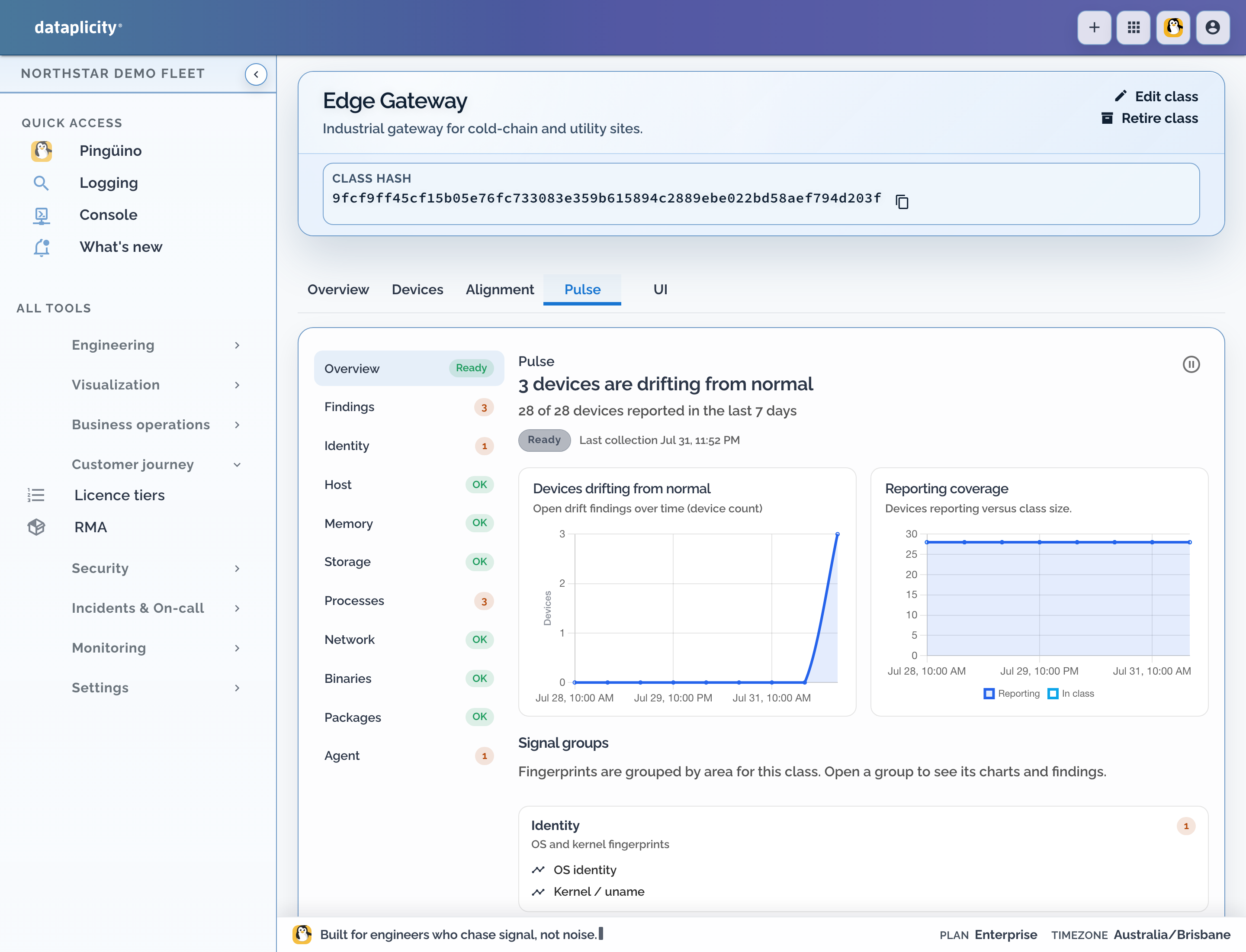
- Each device is scored against the peer model. Similarity below 85% surfaces as drift.
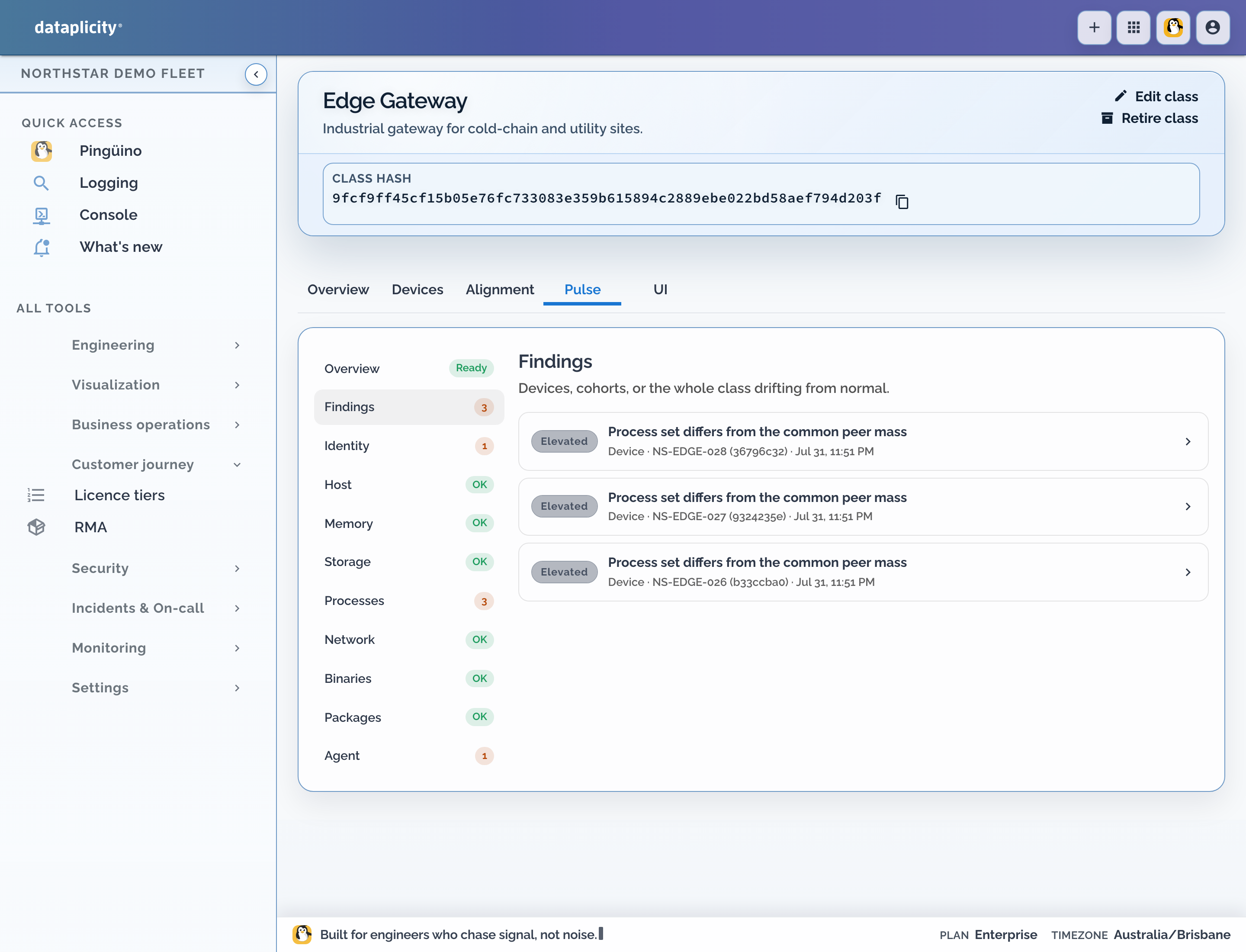
- Findings list the devices or cohorts that diverge, with the signals that contributed.
While the model is still learning, Pulse shows current makeup and progress toward a baseline but holds back drift findings. Once ready, the overview shows how many devices are drifting, reporting coverage, and signal groups such as Identity, Processes, Network, and Agent.
Investigate a finding #
Open a finding to see:
- which device or cohort is affected
- the observed value versus what peers show
- plain-language contributors such as a missing common process, an unexpected process, an unusual OS identity, or resource values outside the peer band
- charts that place this device against the class distribution
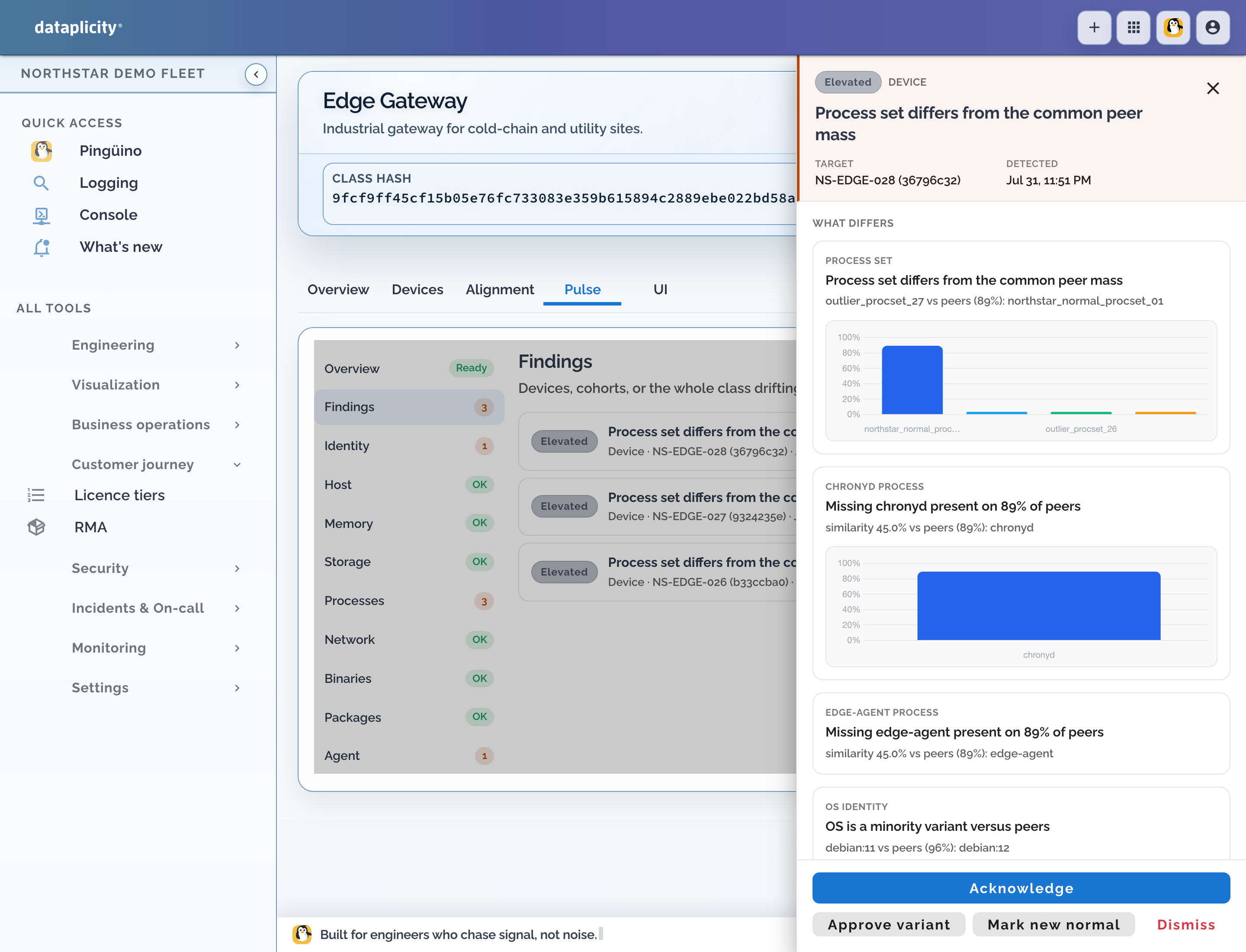
From a finding you can:
- acknowledge it while you investigate
- approve a known variation so similar differences stop looking like drift
- mark a change as the new normal when the class has intentionally moved
- dismiss noise that should not keep returning
Those labels feed the learning loop. Pulse stays useful as the product evolves without forcing you to maintain a separate desired-state checklist.
Check the investigation #
Before closing the finding, compare the affected device with a healthy peer, inspect the supporting process, package, network, OS, or resource evidence, and check recent software or maintenance activity. Record whether the difference is a fault, an approved variation, or an intentional class-wide change. Pulse is observational evidence; it does not prove customer impact and does not repair the device.
What Pulse is for #
Use Pulse when you want to:
- notice a small cohort that no longer matches the product line
- catch silent image or service drift after a maintenance window
- separate one bad unit from a class-wide change
- give support a peer-relative starting point before opening a shell
Pulse stays observational. Pair it with monitors and alerts for paging, and with Alignment on the device class when you need short majority-response trackers. Pulse does not auto-remediate devices.