

Appearance
Manage files with Wormhole #
You can publish a web-based file manager through Wormhole on a Linux device with or without a desktop environment.
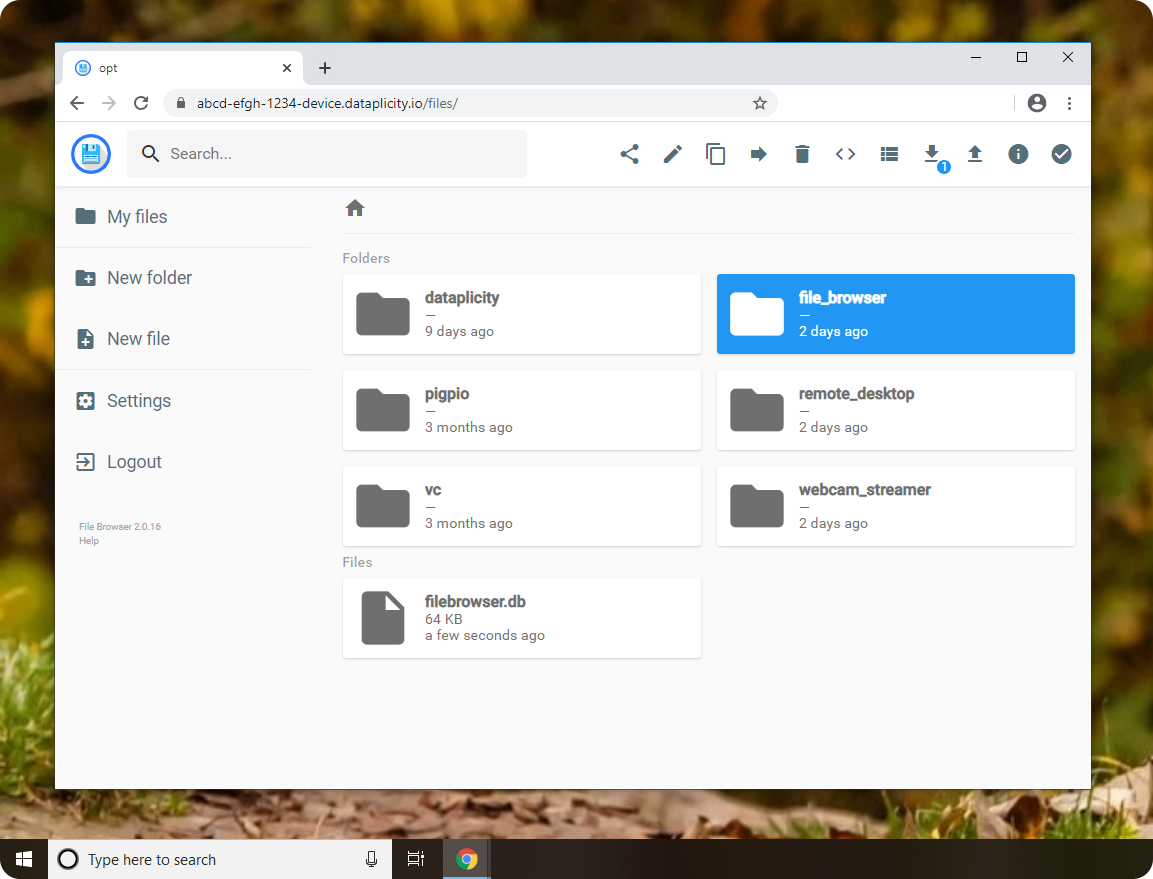
Before you start #
- Device online with Dataplicity agent installed
- Port 80 available
- Privileged access - see Using sudo
Install a file manager #
Choose a maintained file service for your Linux image, install it through your controlled provisioning process, and configure authentication. Pin and review third-party installers before granting elevated privileges.
Start and access #
Start the service on localhost:80 according to its own instructions, enable Wormhole, and open the Wormhole URL.
When to use this #
- Quick file browsing during development
- Pulling logs or configs without SSH
For support artifacts from intermittently connected devices, use resilient file retrieval.
Security note #
A file manager exposes filesystem access. Require strong authentication, restrict its filesystem scope, and read Securing Wormhole.