

Appearance
Development tunnels #
If you need to reach a managed Linux device in the field, stop here and use remote access instead. Remote Shell, Wormhole, and Connector talk to a device through its agent. Development tunnels do something else: they let two developer machines share one TCP service for a test, without putting those machines in the device fleet.
Use a development tunnel when the work looks like this:
- your laptop needs a colleague's API that is only listening on their machine
- a CI job needs a database or mock service running on a bench host
- two workstations need a private HTTP, WebSocket, SSH, or TCP path while you debug an integration
- you want that path for the duration of the test, then gone when the publish command stops
Do not use a development tunnel to support a shipped unit, open a device shell, publish a device web UI, or enrol a laptop as inventory. For those jobs, use Remote Shell, Wormhole, or Dataplicity Connector.
How it works #
One machine publishes a named local TCP service with the Dataplicity CLI. Another authorised CLI in the same paying organisation connects to that name and listens on 127.0.0.1. The consumer's local port can differ from the publisher's port. The publisher talks only to its own loopback service.
sh
dataplicity tunnel publish test-api --port 3000sh
dataplicity tunnel connect test-api --local-port 8080
curl http://localhost:8080/Before you start #
- Install the Dataplicity CLI on each machine that will publish or connect.
- Sign in with
dataplicity auth login. - The organisation's current entitlement includes Tunnels. If the Tunnels screen says they are unavailable, ask an administrator or check Billing. Connector access is unchanged.
- Users in more than one organisation pass
--org ORG. The Tunnels screen copies commands that already include your organisation hash. - The service you publish is already listening on that machine's loopback address.
Open Networking → Tunnels. The page title is Tunnels, with the subtitle “Private, CLI-to-CLI TCP services”.
| Tab | What it shows |
|---|---|
| Active | Live published services: publisher, target port, consumers, connections, and transferred data |
| Activity | Historical events for those names, separate from the live list |
| Manage | Name-scoped grants and publisher credentials, when your account may manage them |
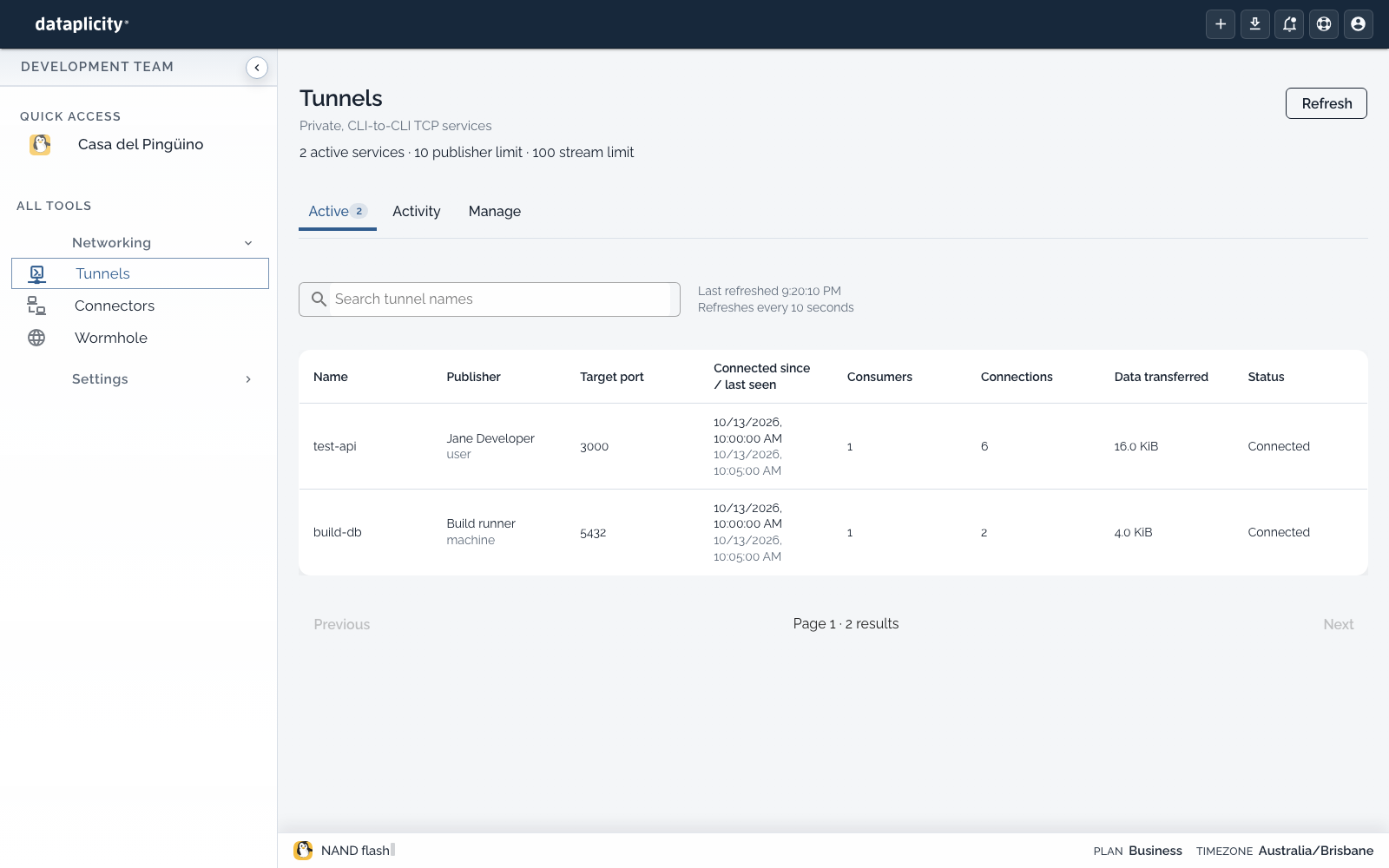
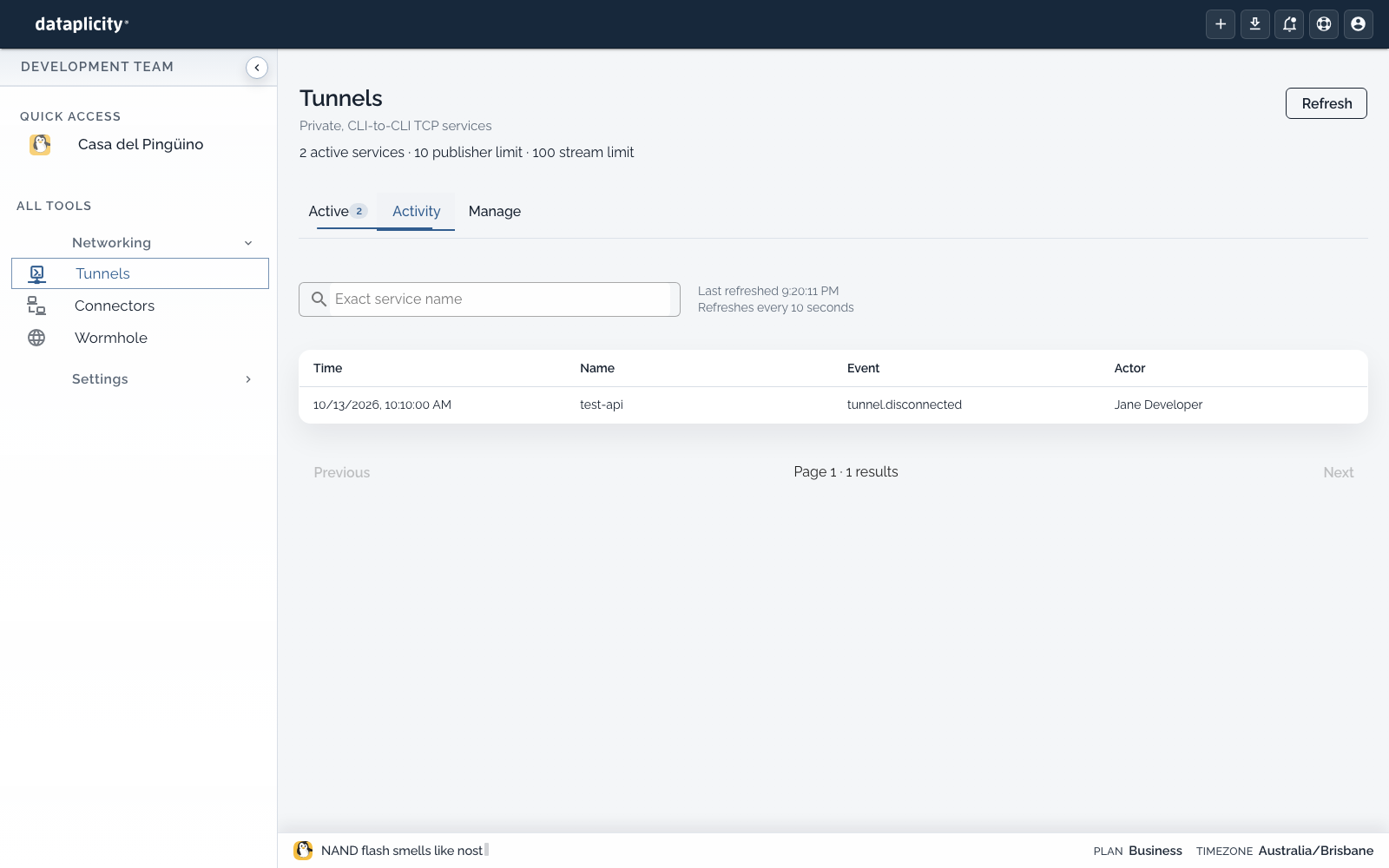
An organisation administrator controls who may publish, replace, or connect to each name. Publishing a name does not grant permission to connect to it. An ordinary member needs an explicit connect grant. Grants and publisher credentials stay with the organisation while a publisher is offline. They do not reserve the name as a managed device.
Publish a service #
On the machine running the service:
sh
dataplicity tunnel publish test-api --port 3000The publisher connects only to its own loopback TCP port. Start the service before publishing. HTTP, WebSocket, SSH, and databases can use the same command. Keep the command running for as long as the name should stay available.
Connect from another machine #
On an authorised developer's machine:
sh
dataplicity tunnel ls
dataplicity tunnel connect test-api --local-port 8080The consumer listens only on 127.0.0.1. Its local port can differ from the publisher's port. Open a row on Active to copy the connect command for that name, including --org.
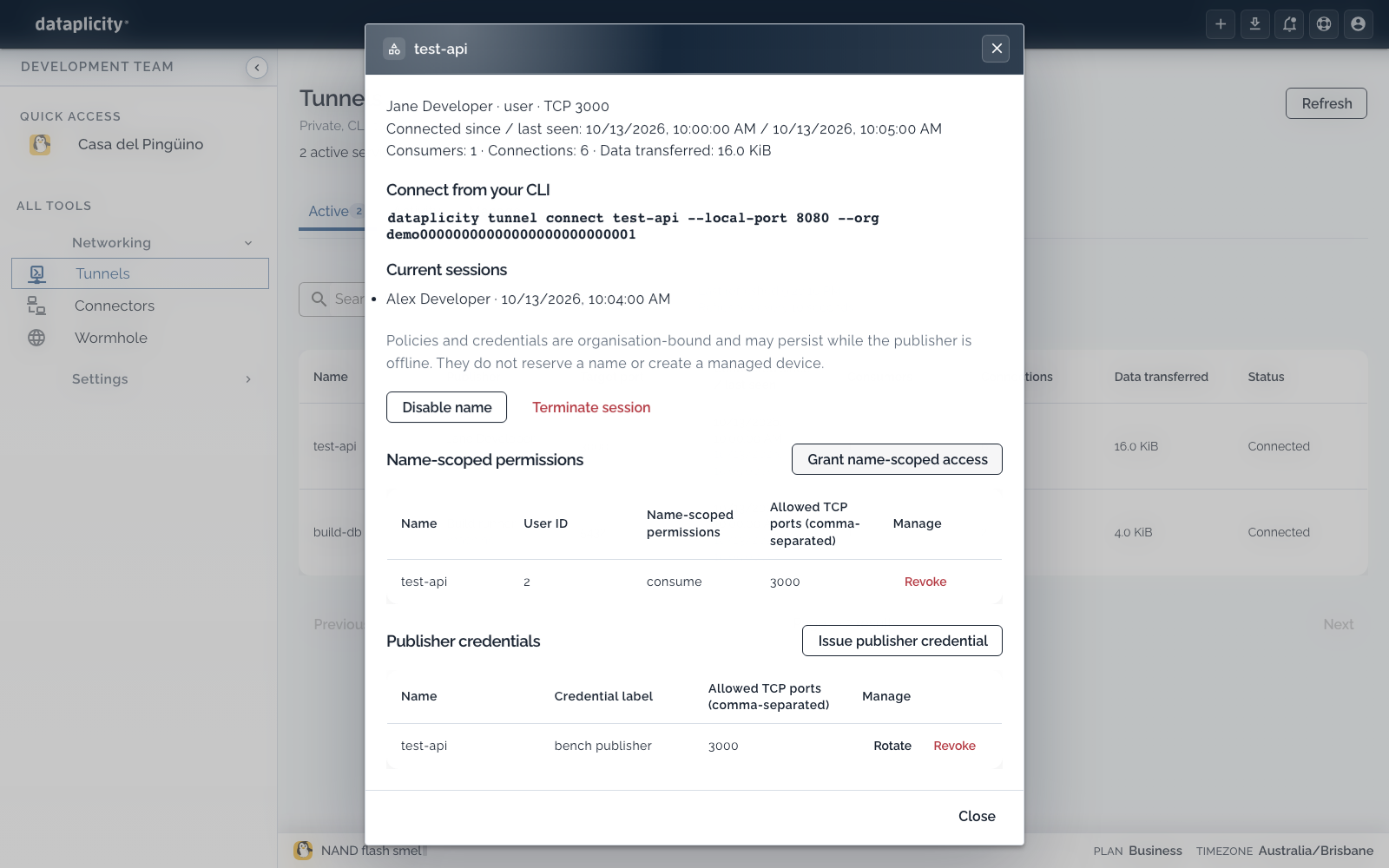
With the example above:
sh
curl http://localhost:8080/Ctrl+C stops publishing, or closes the consumer listener and its streams. Transport loss ends existing TCP connections. Run connect again to resolve the current publisher. Applications must reconnect their own TCP sessions.
Verify and finish a shared test #
Before publishing, check that the application responds on the publisher's loopback port. After connecting, make the same application request through the consumer's local port and check the response. An entry in Active establishes that the service is published; a successful application request establishes that your intended path works.
When the test finishes, stop the consumer and publisher commands and check the Active list. Name-scoped grants and unattended publisher credentials remain until an authorised administrator changes or revokes them. If you issued a credential only for this test, revoke it when the test ends.
To ask a specialist for help, share the service name, organisation, target and local ports, the exact error and redacted command output. Keep publisher tokens out of the conversation. See invite a specialist into the discussion.
Unattended publisher #
An authorised administrator can issue a credential scoped to one name and its permitted target ports:
sh
dataplicity tunnel token create test-api --port 3000 --org ORGThe secret is written to standard output once. Store it in your secret manager and inject it as an environment variable. Pass the variable's name, never the secret, on the command line:
sh
dataplicity tunnel publish test-api --port 3000 --org ORG --token-env DATAPLICITY_TUNNEL_TOKENYou can also pipe a secret manager's output into --token-stdin.
A publisher token cannot list services, connect as a consumer, manage credentials, or access managed devices. An organisation API key cannot authenticate tunnel operations. tunnel token ls, tunnel token rotate CREDENTIAL_UUID, and tunnel token revoke CREDENTIAL_UUID manage credentials in the selected organisation. Rotation prints the replacement secret once and invalidates the previous credential.
The current publisher owns the live name. Replacing it requires replace authority (--allow-replace when the credential is issued), ends the old TCP streams, and fences the previous generation. A publisher reconnects only its own generation and stops when that generation is replaced, expired, or revoked.
When a command fails #
- Access denied: ask an administrator for access to that name and target port.
- The name is missing or offline: publish it again.
- The local port is in use: choose another
--local-port. - Quota: close unused streams or review the organisation's plan limits.
tunnel ls --json returns the active inventory and accepts --search and --page. Global --json on publish and connect prints newline-delimited progress events. In an interactive terminal, add --plain for an event log instead of the live rates view. Redirected output uses the event log automatically.