

Appearance
Device monitors #
Device monitors evaluate Dataplicity connectivity. Pair them with service or heartbeat monitors for process, disk, port, or custom application health.
Choose the scope #
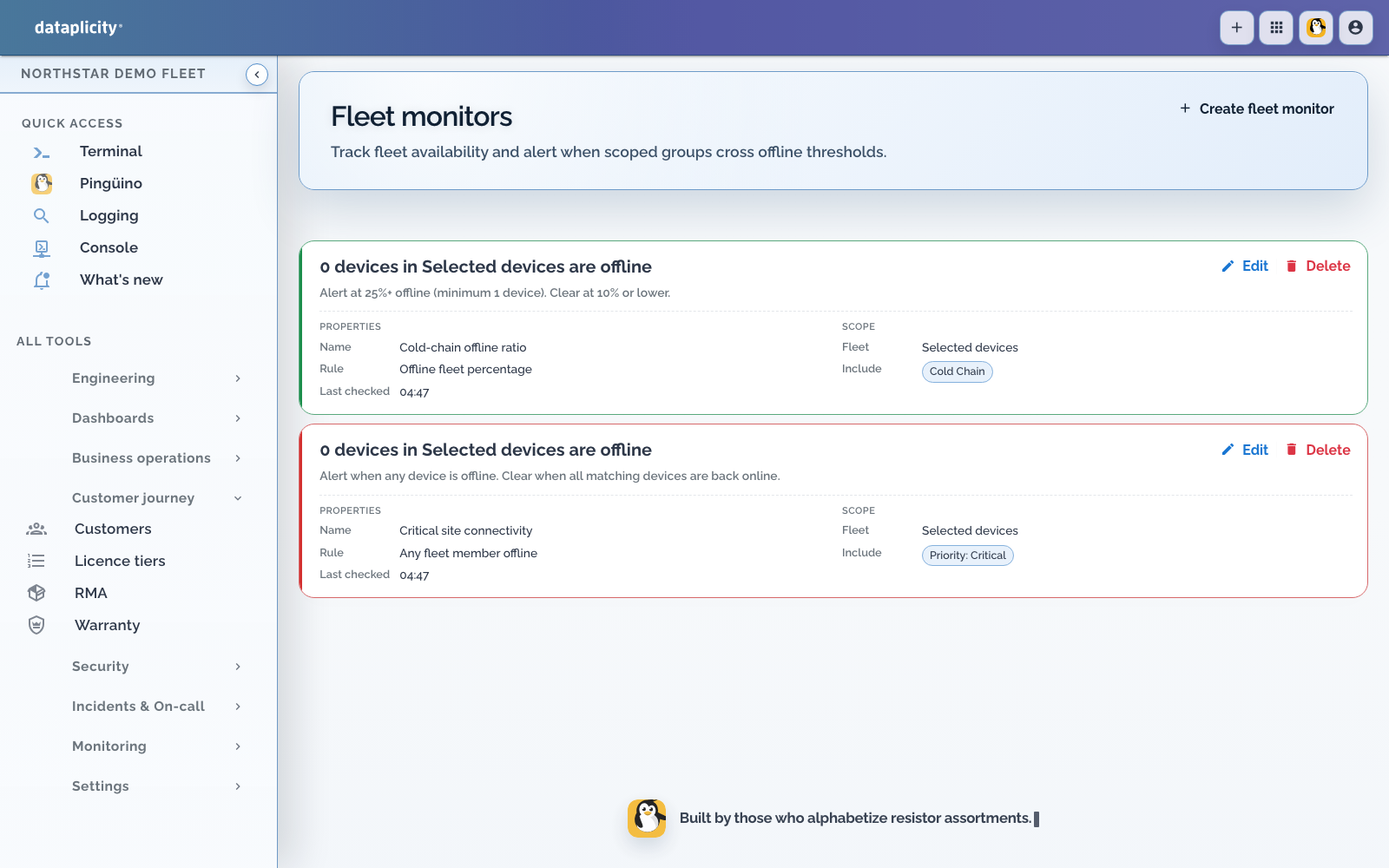
Use a single-device monitor for a critical gateway whose individual connectivity matters. Use a fleet monitor for an operational cohort selected by device class and tags.
Fleet selectors support:
- one device class
- include tags matched by any or all
- exclude tags
Tags are normalised to lowercase. Exclusions remove matching devices after inclusion. Preview the resolved set before saving and after changing fleet taxonomy.
Choose the condition #
- Any offline triggers when at least one selected device is offline.
- Offline count compares the number offline with a count threshold.
- Offline ratio compares offline devices with a value from 0 to 1 and also requires the minimum impacted-device count.
Example: trigger when at least 10 percent and at least 3 devices are offline. Set the ratio to 0.10, minimum impacted devices to 3, and use a recovery ratio below 0.10.
Tune state changes #
Set the evaluation interval, consecutive failures to trigger, consecutive successes to recover, and cooldown. The default is three failed evaluations to trigger and three successful evaluations to recover. Check the saved monitor and your organisation's service limits for the effective values.
A lower recovery threshold provides hysteresis. It prevents a fleet sitting near the trigger boundary from repeatedly opening and closing the same alert.
Device and fleet monitors create alerts. Use service, heartbeat, or user-impact incident automation when acknowledgement and escalation are required.
Verify and troubleshoot #
- Use a staging device or small tag cohort.
- Confirm the target preview contains only intended devices.
- Interrupt connectivity and wait for the configured failed evaluations.
- Confirm the alert links to the monitor and resource context.
- Restore connectivity and wait for the configured recovery evaluations.
If a ratio never triggers, check both the ratio and minimum impacted-device guard. If the selected count is wrong, inspect class, include-tag match mode, and excluded tags. Re-enabling a monitor starts a new failure period.