

Appearance
Release a Product Application #
Publishing freezes the Product Application draft into an immutable Product Version. It does not silently move existing customer instances.
Use a sandbox and isolated test customer before attaching or rolling a version to customers who depend on it.
Prepare the exact candidate #
Before opening Release:
- Resolve anchored Process diagnostics.
- Create or update sandbox fixtures and Scenarios.
- Mark release-critical Scenarios as required.
- Choose Prepare release checks in Scenarios.
- Run every named check against that release candidate.
- Prepare checks again and confirm the candidate is ready.
The candidate represents a specific draft definition. If the draft changes, prepare and test a new candidate.
Review publish preflight #
Release preflight validates the complete draft and compares it with the latest published version. Review:
- blocking definition errors
- required Scenario results
- model, Command, Process, Operation, and Rule changes
- Process branches and timeout changes
- Device Class and placement compatibility
- active executions that will remain on their starting version
- rollback constraints
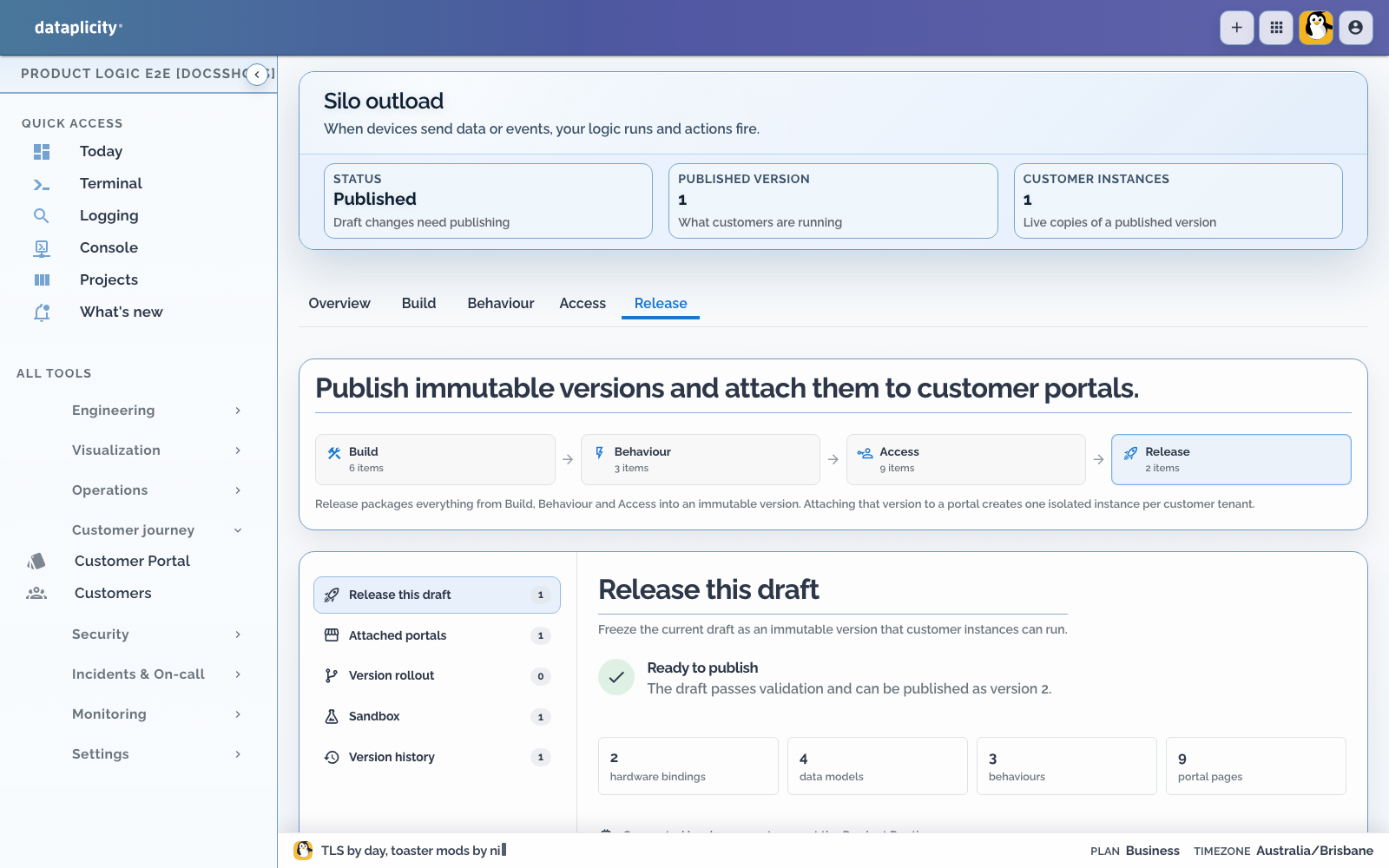
Validation is bounded. It does not prove every expression, device capability, external integration, hardware interlock, or field installation.
Acknowledge warnings explicitly #
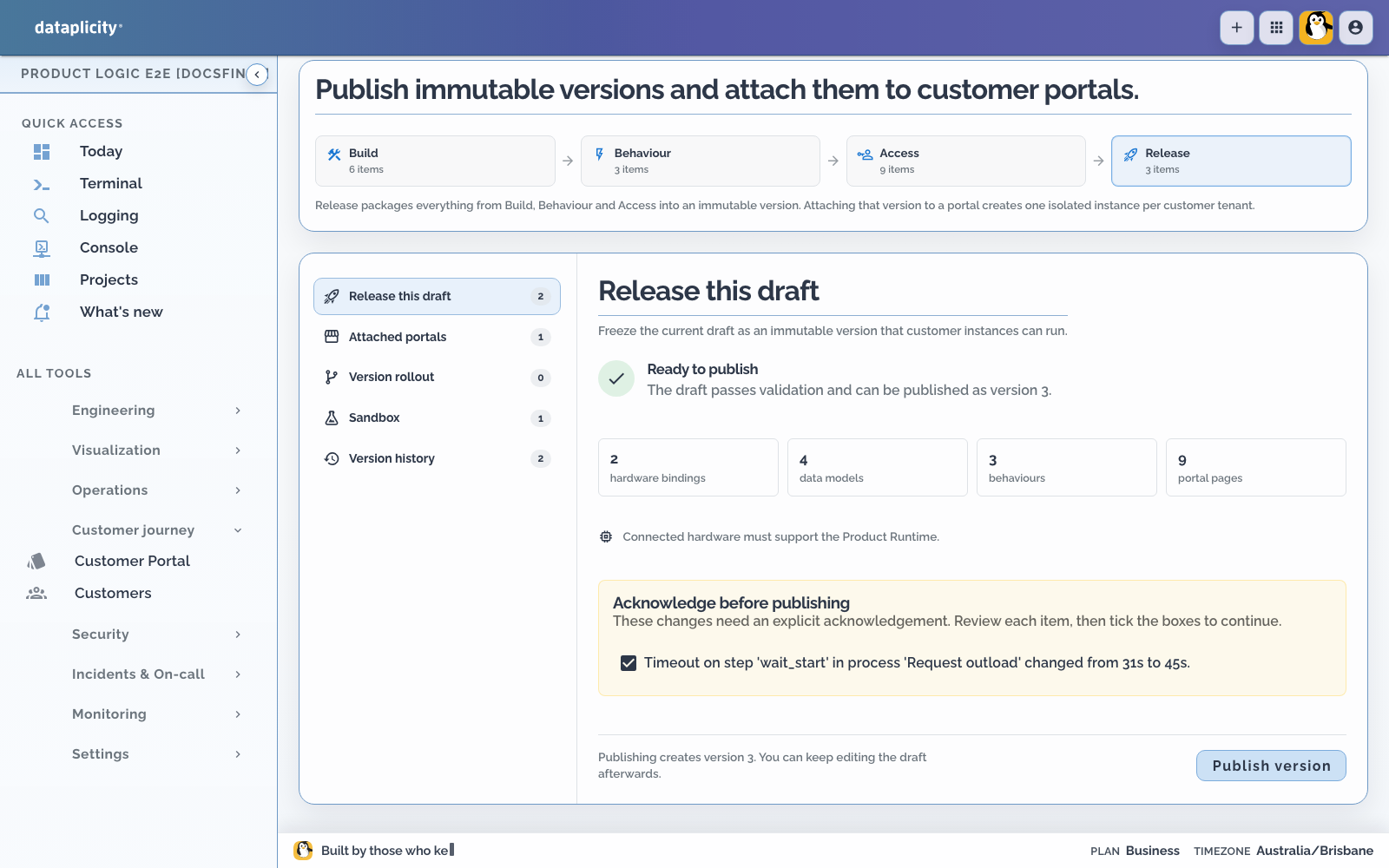
Some warnings require acknowledgement before publishing. The release screen lists them individually. Read and select each required acknowledgement; do not treat the checkbox as a general override.
Warnings can include changed branches or timeouts, changed Command timeouts, in-flight executions that remain version-pinned, and rollback constraints. Blocking errors cannot be acknowledged away.
The acknowledgement records the decision to publish the candidate. It does not remove the operational consequence described by the warning.
Publish the immutable version #
Publish only after:
- required Scenarios passed for the current candidate
- blocking validation errors are resolved
- required warnings are acknowledged
- representative device software and integrations have been qualified
- the rollback or compensating-publish plan is understood
The version snapshot includes bindings, models, pages, presentation, permissions, rules, Operations, integrations, Commands, Processes, placement, and offline datasets.
In-flight Process executions remain pinned to the version on which they started. Publishing does not rewrite their definition or path.
Attach the version to a portal #
An attachment makes an application version available to a Customer Portal. Each downstream customer receives an isolated Product Instance.
The attachment also defines what new customer instances receive:
- a pinned published version, or
- the latest published version according to the attachment policy
Changing that policy is separate from moving instances that already exist.
Roll out existing instances #
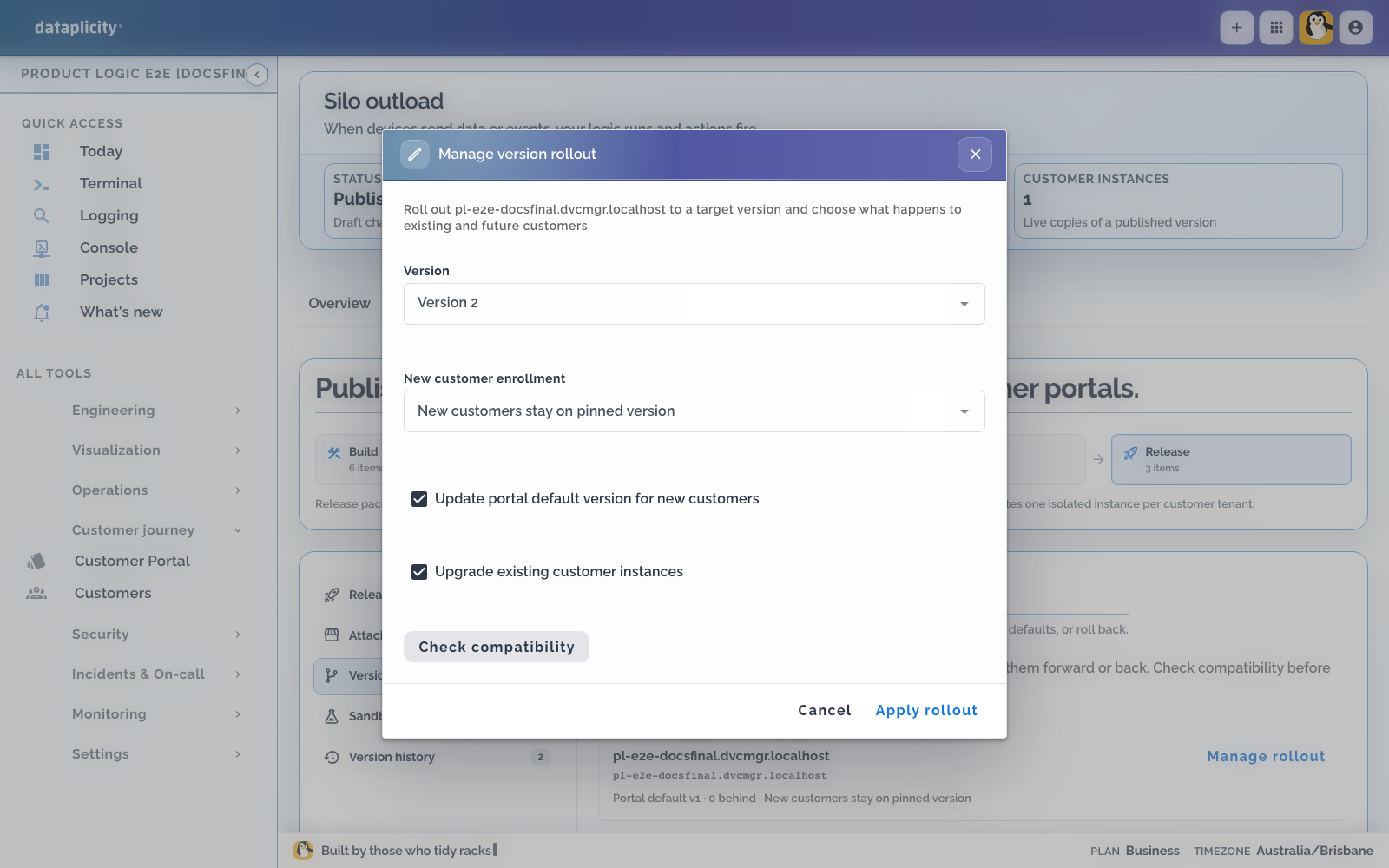
Open Release > Version rollout, choose a target version and scope, then review compatibility before applying it. Scope can cover all instances, one portal, or selected instances.
Each target instance is checked separately. An instance is blocked while it has:
- an in-flight Process execution
- an unsettled Command invocation
- another target-specific incompatibility
Compatible instances can move while blocked instances remain on their current version and are reported as errors. Recheck them after work settles.
Moving an instance updates its version and Product Record schema version. There is no separate application migration-script language, so prefer additive schema changes and plan required-field or type changes carefully.
Roll back with the same discipline #
Rollback is an explicit rollout to an older published version. Run it as a dry compatibility review first where available.
Rollback does not:
- rewind an execution already running on another version
- undo a physical or external side effect
- make an incompatible field-type change reversible
- restore data removed by an external system
Some changes require a new compensating publish instead of an older version.
Verify after rollout #
For the target customer scope:
- Confirm the Product Instance version.
- Open Overview, Work, Exceptions, Records, and Map pages that apply.
- Run one low-risk customer Operation.
- Verify a real device reports the expected capability and outcome.
- Check execution health, safety state, and correlated activity.
- Confirm another customer remains isolated.
- Keep blocked instances visible until they are deliberately resolved.
There is no separate Dataplicity application environment object. Use sandbox for deterministic testing and isolated portals or customer instances for staged operational verification.