

Appearance
Build an HVAC scheduling application #
What happens when someone changes a building setpoint while its controller is offline?
In this workshop, the change waits as a versioned dataset. When the controller reconnects, the Prelude Agent downloads it, verifies it, activates it, and reports the exact generation now in use. The customer can see whether the schedule is pending or current instead of assuming that Save reached the building.
Where operators use it #
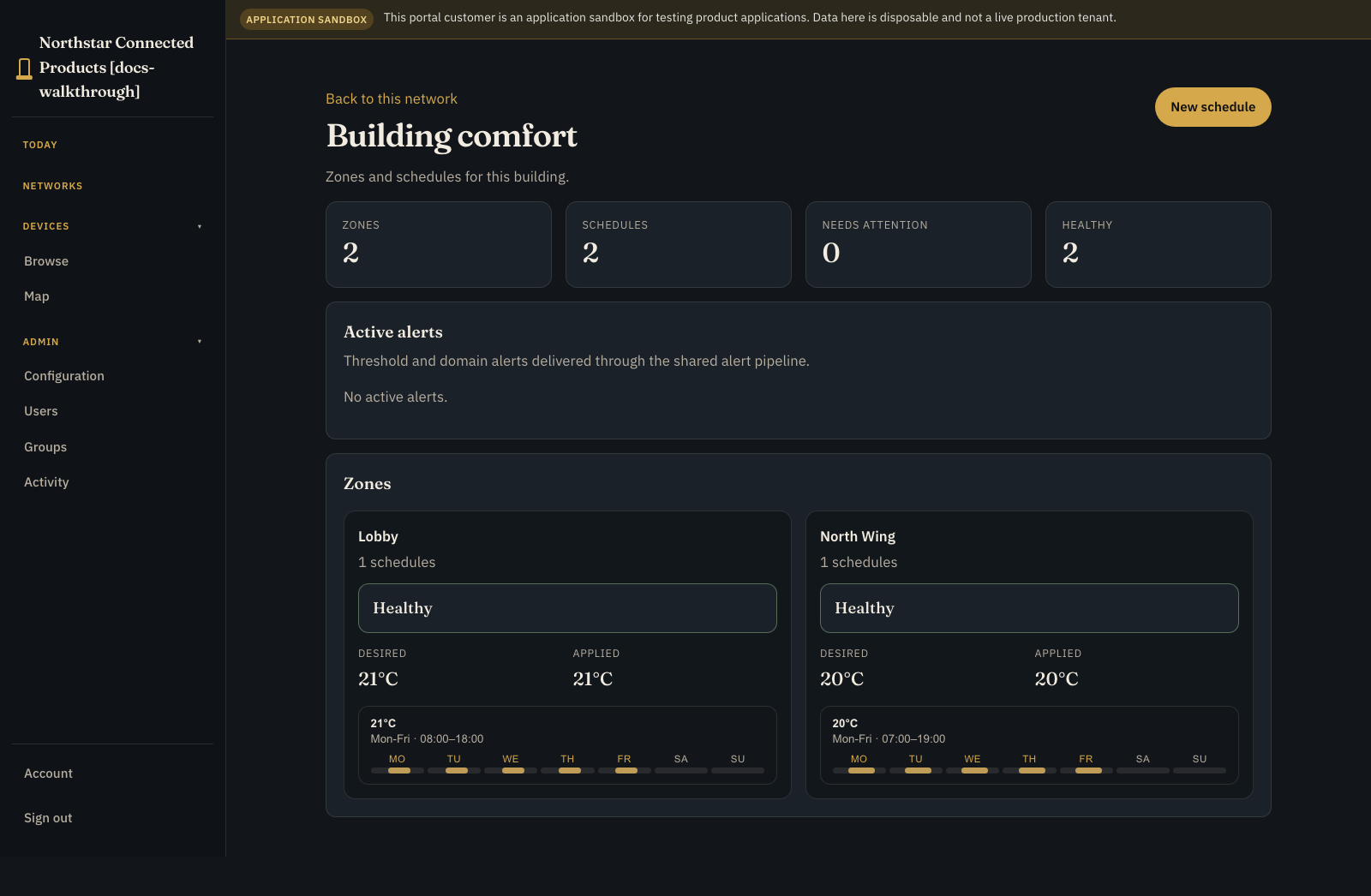
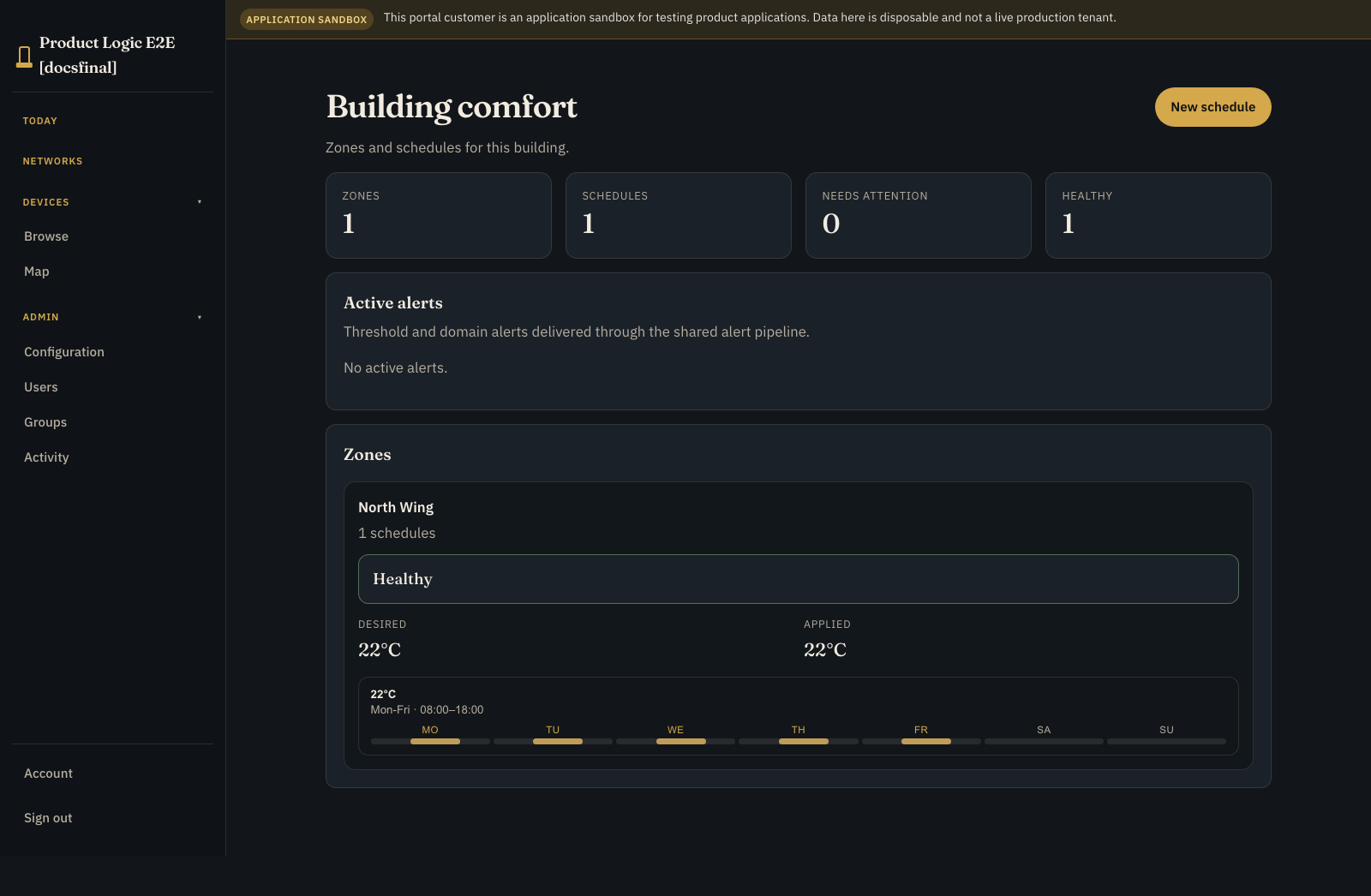
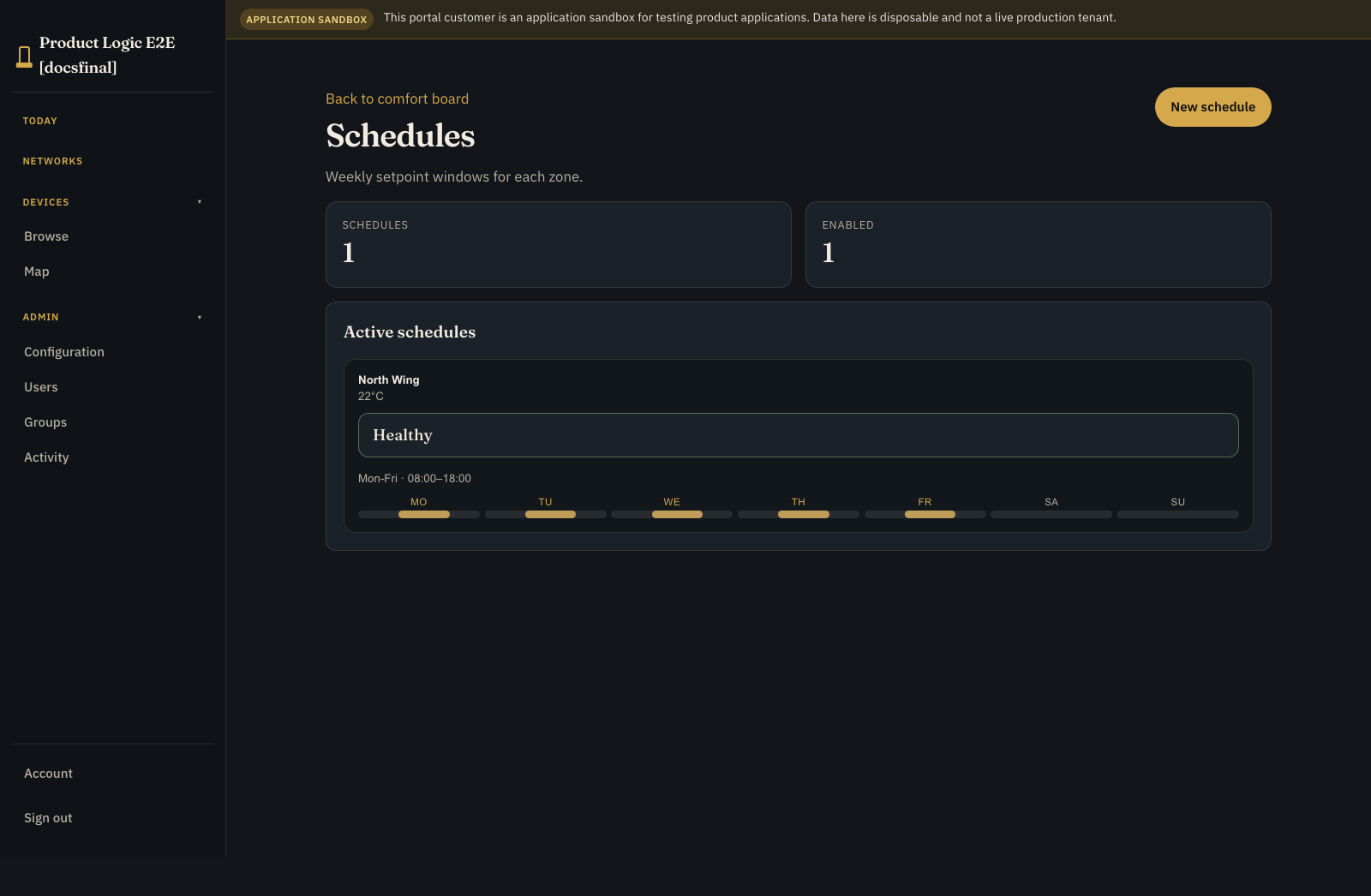
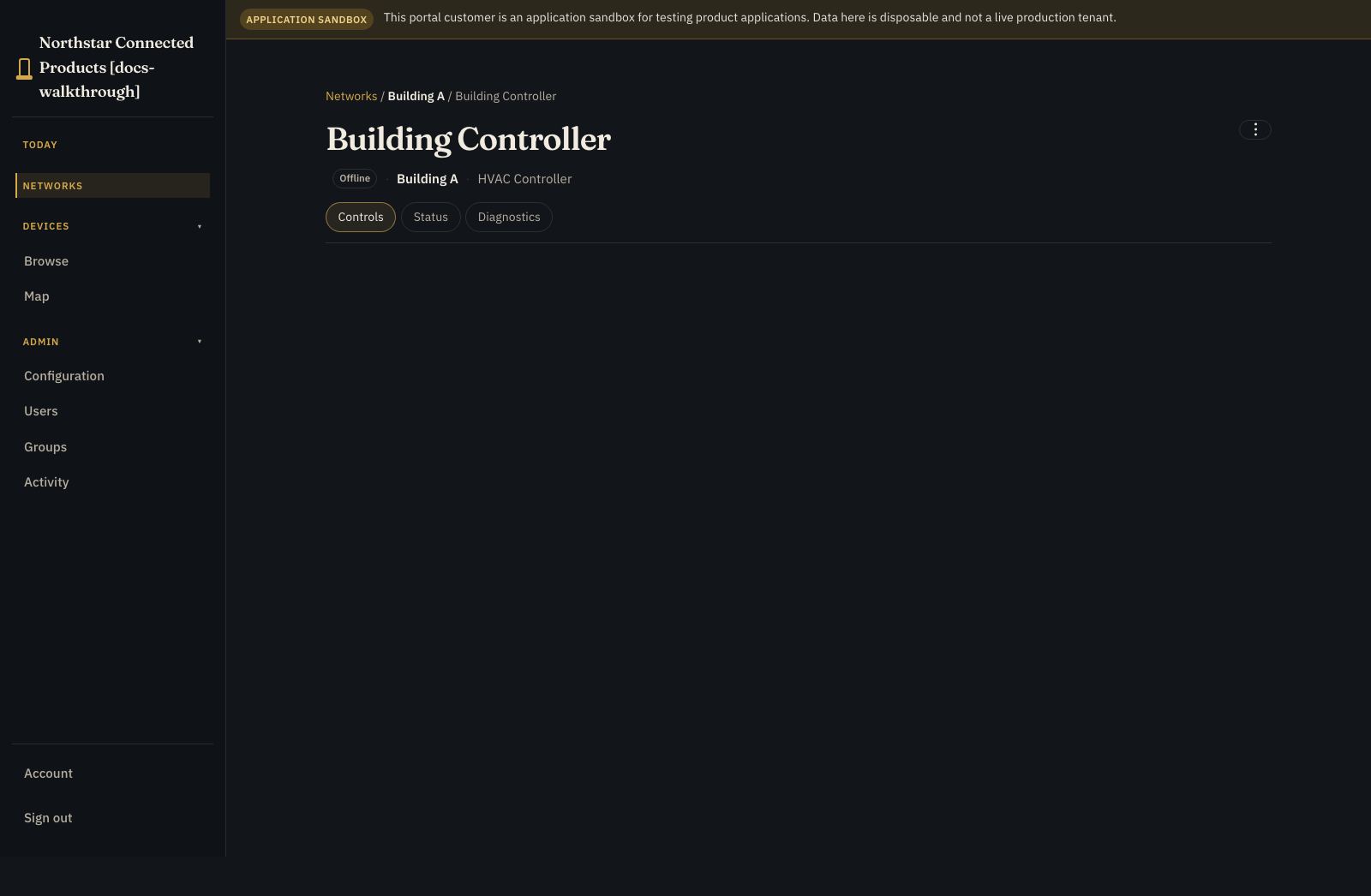
Open the building from Networks to work with all zones and schedules at that place. Open the enabled controller and use Controls for this controller's vendor UI and local context. The building network is the entry point for schedule work across its controllers.
What this tutorial actually does
The proof uses real customer records, dataset generation, Prelude Agent download and activation, applied-generation reporting, and persistent last-known-good storage. A simulator reads the active dataset in place of an OEM controller. You supply the calendar rules, setpoint validation, local control and safety loops, physical HVAC integration, and fallback policy.
By the end you will have:
- an HVAC Controller Device Class bound as
controller - customer-managed
schedulerecords - append-only
setpoint_logrecords showing what was applied - an
hvac_entitlementsoffline dataset - a Product Instance for one test building
- visible desired and applied generations
What you need #
- Product Applications on Standard+
- a staging customer and Customer Portal
- an HVAC Controller Device Class
- a representative Linux controller or safe simulator
- a local consumer that can validate and atomically activate versioned JSON
The hvac-sim example can provide Device Class telemetry. Prelude Agent Product Runtime handles the offline dataset, and your controller-side handler reads the active records over its local Unix socket.
1. Start with the controller #
Create or select HVAC Controller under Engineering > Device classes.
A Device Class is the reusable hardware definition. Keep controller telemetry and controls separate from the customer schedule records. Useful values include:
- current zone temperature
- operating mode and fault state
- a bounded customer override, if supported
- reported schedule generation
- connectivity and data freshness
The schedule says what the customer wants. The controller still owns sensor validation, frost and compressor protection, safe limits, and fallback behaviour.
2. Create the application #
- Open Developer > Applications.
- Create an empty HVAC Schedules application.
- Choose the shipped HVAC schedules starter and Use example.
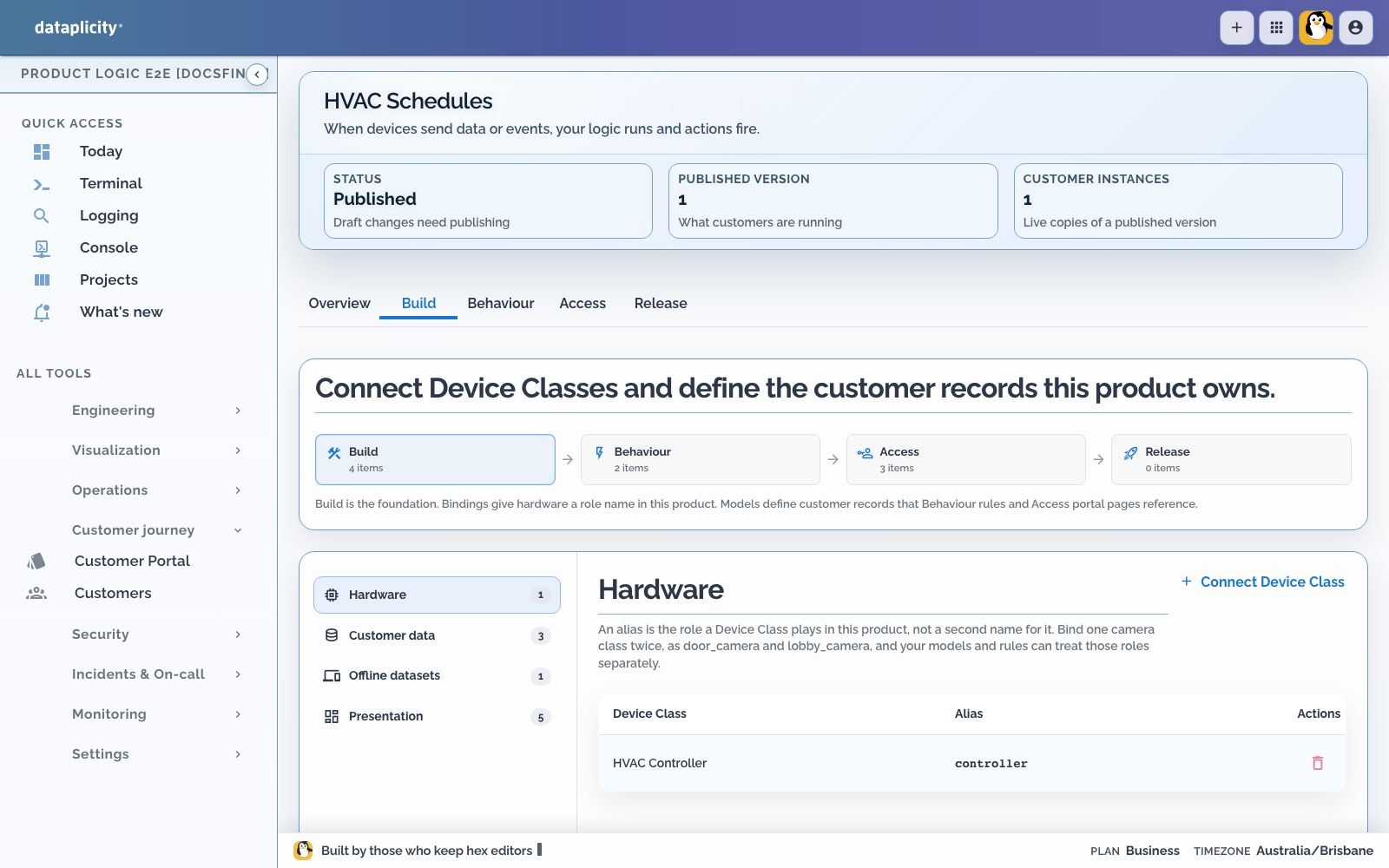
- Map the required controller role to HVAC Controller, then apply the kit.
- Review the imported
hvac_schedulesdefinition on Overview. - Open Build > Hardware and confirm that your staging controller is eligible.

3. Add a small schedule model #
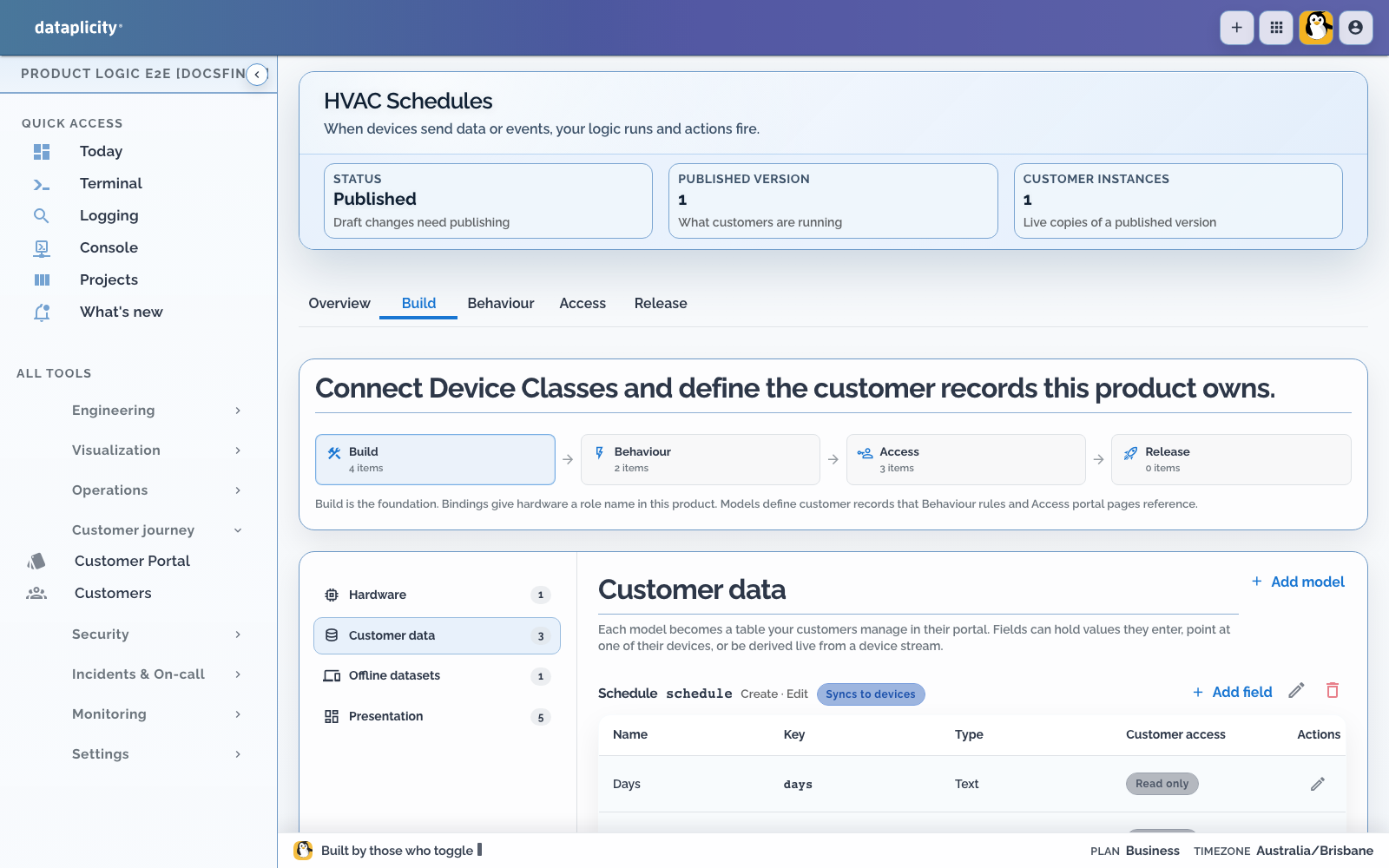
In Build > Customer data, add:
| Setting | Value |
|---|---|
| Model key | schedule |
| Label | Schedule |
| Lifecycle | Configuration |
| Customer create/update | Authorised operators |
For the first pass, use only:
| Field | Type | Purpose |
|---|---|---|
zone | String | Zone identifier understood by the controller |
setpoint_c | Integer | Target temperature in Celsius |
That small model is enough to prove the journey. A production schedule will usually need stable IDs, days and times, an IANA time zone, occupied and unoccupied targets, exception dates, priorities, override expiry, and a controller or site reference.
Add calendar semantics only when you can define time-zone and daylight-saving behaviour clearly.
4. Turn records into an offline dataset #
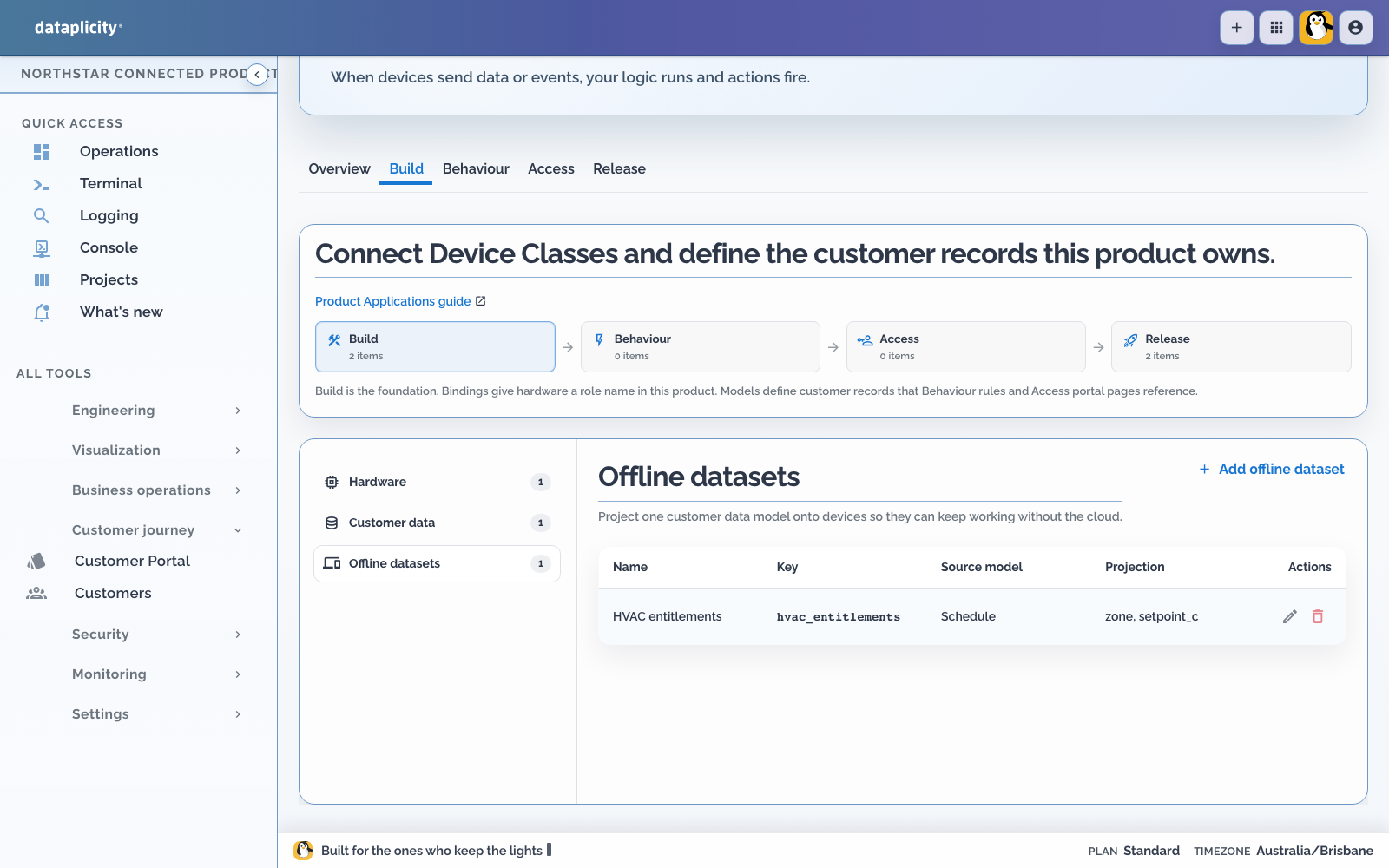
An offline dataset is a versioned package of application records for a device. Add:
| Setting | Value |
|---|---|
| Key | hvac_entitlements |
| Label | HVAC entitlements |
| Projection | schedule.zone, schedule.setpoint_c |
| Format | JSON |
The technical key comes from the reference application. You can label it HVAC schedule dataset for customers while keeping the key stable for devices.
Every generated payload is immutable. The cloud records a desired generation, while the controller reports the applied generation.
Prelude Agent verifies and stages a generation before atomically activating it. If an update fails, it keeps the last-known-good generation. After a restart, the same device identity should reopen the applied generation without applying it twice.
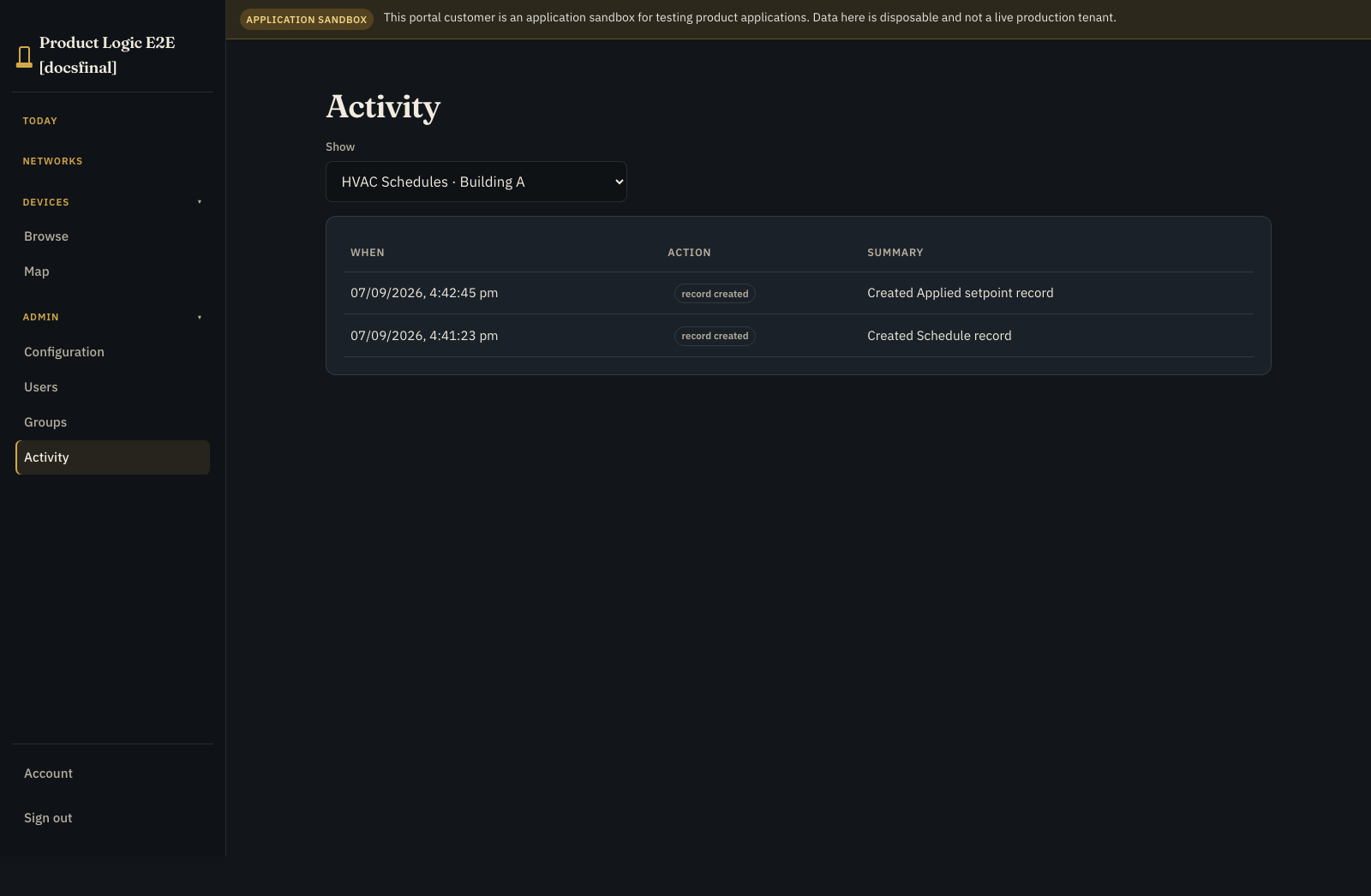
The reference dataset also has an applied_record_log mapping. When the controller reports a generation as successfully applied, Prelude copies each schedule's zone and setpoint into a new setpoint_log row with the application time and source. This is deliberately tied to applied reporting, not merely to someone pressing Save.
5. Design the Application Workspace #
In Access > Presentation:
- add an Overview page for schedule freshness and current attention
- add a Records page for schedules and applied setpoint history
- use Work only if schedule approval or rollout is an operator task
- use Exceptions for failed, stale, or rejected generations
- use Map only when building or controller location helps diagnosis
- add create and edit forms for the approved fields
- let viewers read without changing records
- let only authorised operators create or update
- keep generation and device-sync controls in the OEM or administrator area
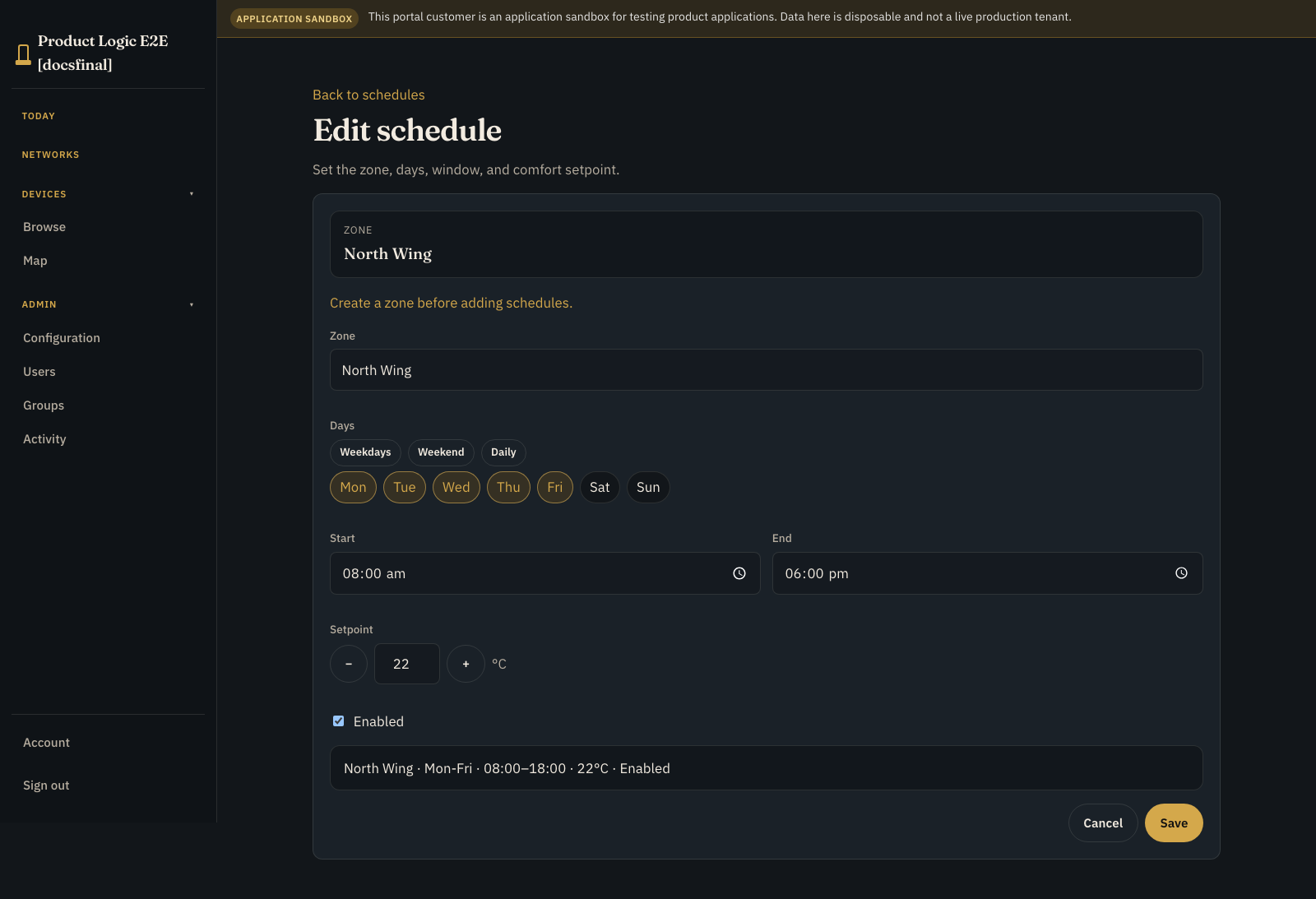
Show the zone, target, last change, and who changed it. Near the controller, show desired and applied generations with a plain sync state: pending, current, failed, or stale.
A saved cloud record is not evidence that the controller applied it.
Preview the Application Workspace with viewer and operator roles. Verify page order, empty states, visible fields, and that desired and applied generations cannot be mistaken for one state. See Design the Application Workspace.
6. Test and publish your first generation #
- In Release, create a sandbox Building A customer instance.
- Create
zone = lobbyandsetpoint_c = 21. - In Release, inspect the
hvac_entitlementsdataset against the sandbox customer. - Generate the base dataset for the staging controller.
- Inspect its payload and record count.
- Let the test consumer validate and activate it.
- Report that exact generation as applied.
- Wait for device sync to show current.
- In Scenarios, save fixtures for a valid update and a rejected invalid update, then run both and inspect their assertions.
- Prepare release checks and confirm required scenarios passed against the same release candidate.
- Return to Release and run preflight.
- Fix blocking errors, read every warning, and explicitly acknowledge each warning that requires acknowledgement.
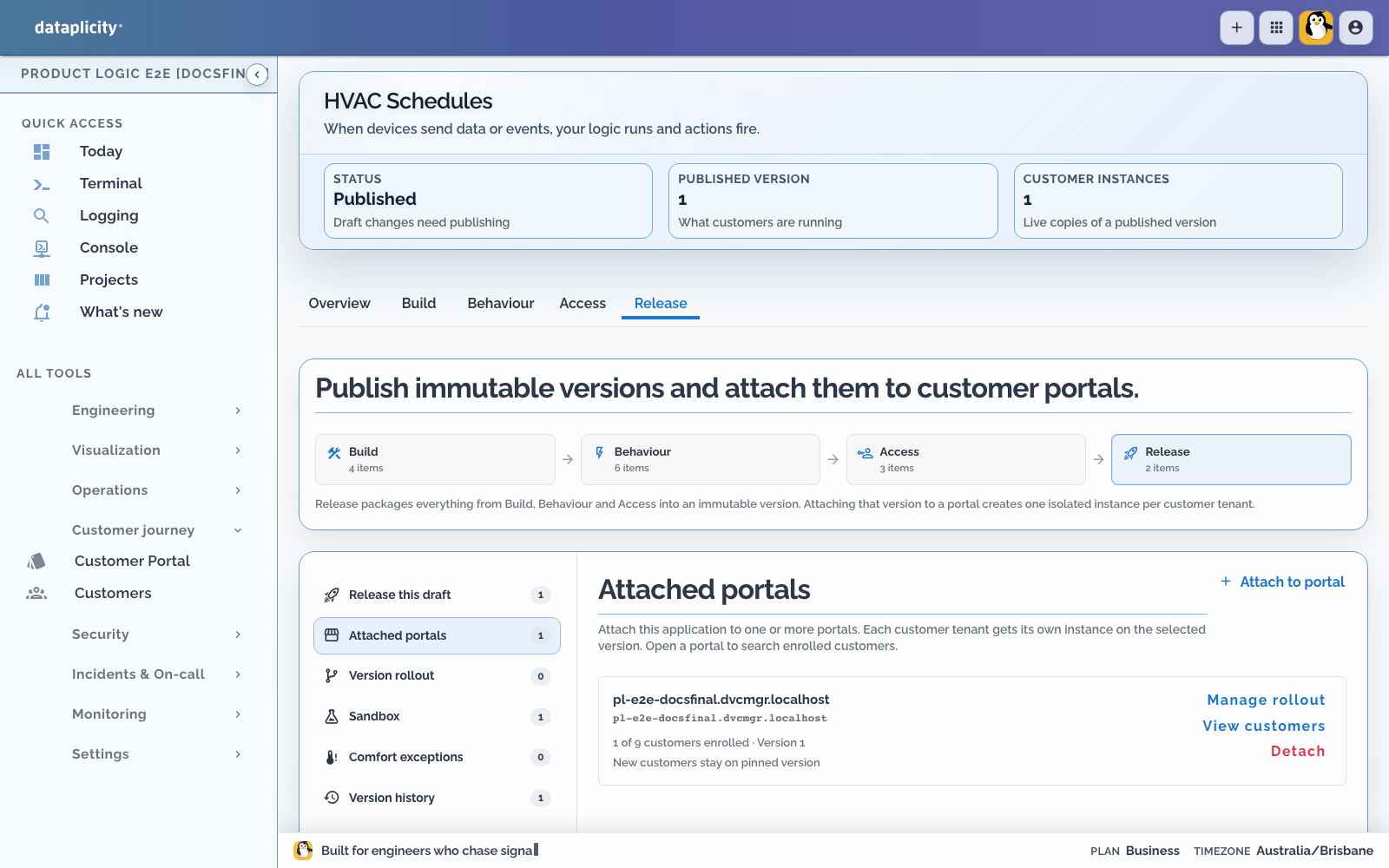
- Publish that tested candidate as version 1.
- Use Attached portals to attach version 1 to the staging Customer Portal and provision the production-shaped Building A instance.
See Test application scenarios and Release a Product Application.
Place the controller on the building network before expecting it in the native workplace. A Ready controller is inventory only; an Enabled controller appears in the building view and keeps its vendor UI on device Controls.
The first proof should contain one record. This keeps any problem easy to see.
Now open Setpoint log. The applied setpoints table shows the zone, setpoint, timestamp, and dataset source. That answers “what did the controller path apply?” rather than only “what did someone save?”
7. Change it and pull the plug #
Update the setpoint and generate the next dataset. Confirm:
- a new immutable generation appears
- the previous generation remains as evidence
- sync stays pending until the controller applies the update
- a successful activation changes the reported generation
- each successful activation appends the corresponding setpoint log row
- invalid content leaves last-known-good active
- duplicate fetches and applied reports are harmless
- a second customer cannot fetch Building A's dataset
Then try the conditions a real controller will meet:
- offline during a schedule change
- power loss while staging
- restart after successful activation
- unsupported schema version
- out-of-range setpoint
- missing zone
- rollback to last-known-good
The local proof shows real desired/applied reporting and persistence across an agent restart. It does not show a fan, valve, or compressor responding.
If a schedule update is driven by a process, open its Runs tab or Executions and verify the highlighted path, attempts, wait state, correlated dataset activity, and any available safe intervention. See Investigate process executions.
8. Grow it one contract at a time #
Once the two-field proof is reliable:
- model time zone and recurrence explicitly
- add temporary overrides with expiry
- publish temperature and fault telemetry through the Device Class
- add rules for conditions customers need to act on
- expose only approved override operations
- test partial rollout and rollback before targeting controller groups
- preserve a local fallback schedule
Keep the safety loop and second-by-second control on the qualified controller, not in a cloud process.
Before you use it in a building #
- Define time-zone and daylight-saving behaviour.
- Bound setpoints and overrides locally.
- Activate datasets atomically.
- Keep last-known-good state across restart and failed updates.
- Show desired and applied generations separately.
- Distinguish offline, stale, pending, current, and failed.
- Restrict edits to the right customer roles.
- Prove cross-customer isolation.
- Test rollback and schema compatibility.
- Keep local safety and fallback independent of the cloud.