

Appearance
Test application scenarios #
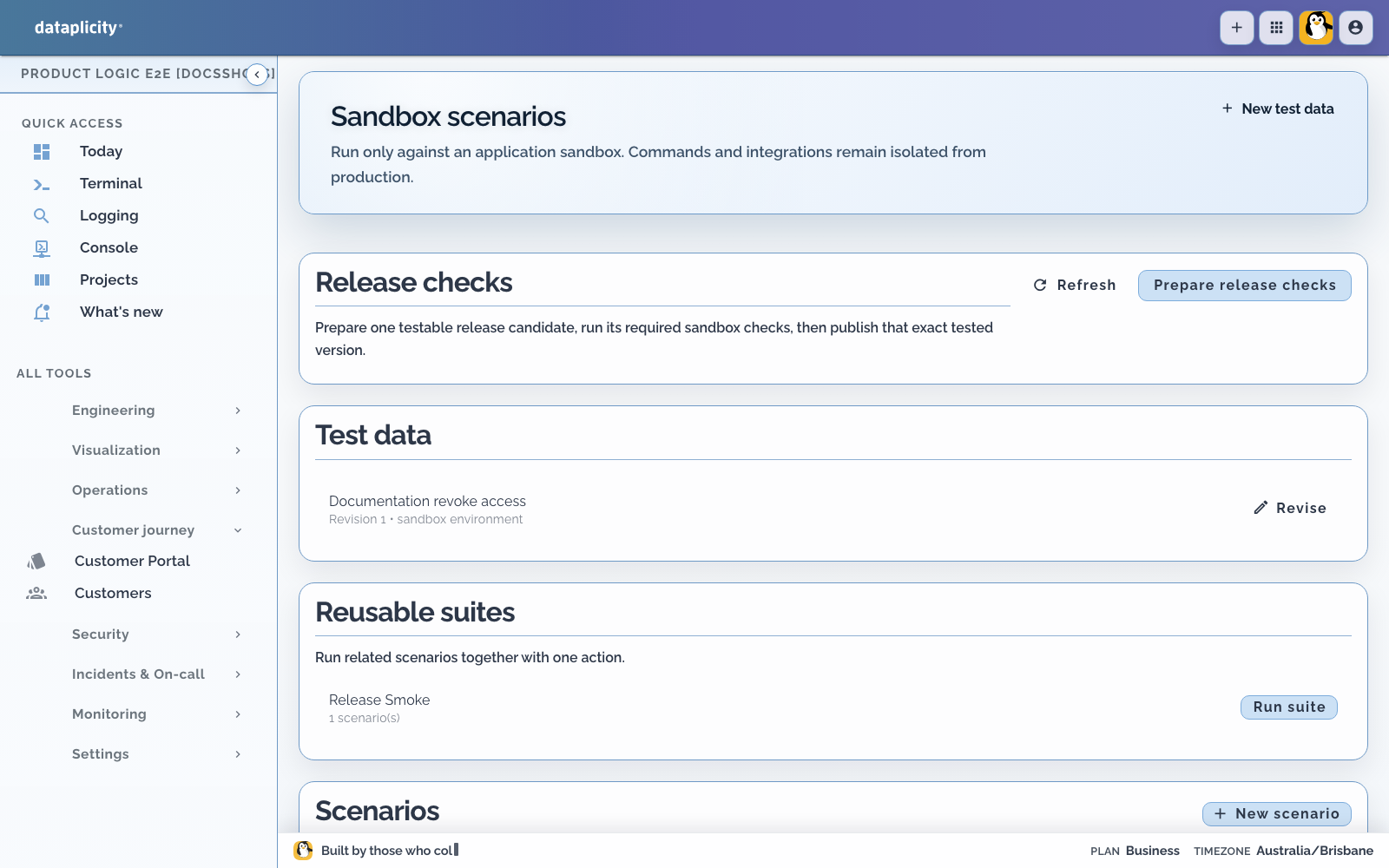
Scenarios exercise a published Product Application version inside an application sandbox. They do not run against production instances, and their Commands and integrations remain isolated from production.
Open the application and choose Scenarios. If it has no sandbox, open Release first and create one for a test customer.
Understand the test model #
A complete test has four parts:
- A fixture supplies the sandbox records and starting state.
- A Scenario names a Process, typed input, response plan, and assertions.
- A run executes the Scenario against a specific published version.
- A suite groups related Scenarios through
suite:tags.
Fixtures have revisions. A Scenario stays linked to its selected fixture and published version so a later edit does not quietly redefine an earlier result.
Create a fixture #
Add only the records and state needed to explain the case. Use stable, recognisable values so failures are easy to inspect.
A fixture can also be cloned from a retained execution:
- Open the execution in Executions.
- Choose the clone-to-sandbox action.
- Select a sandbox and name the fixture.
- Review the copied state and response plan before treating it as a regression test.
Cloning is a starting point, not proof that the captured production conditions are complete.
Plan deterministic responses #
The response plan controls what the sandbox delivers after the Process starts. Each response has a relative time and is either:
- an event with an event type and typed payload
- a Command response with a Command key, status, and typed result
Supported planned Command states include acknowledged, succeeded, failed, rejected, and expired. Use relative times to test waits and timeout boundaries. The Scenario clock advances deterministically; do not rely on wall-clock delays.
Include the failures that matter for the product:
- Command rejection or expiry
- timeout before a response
- duplicate or delayed delivery
- a device or integration failure after an earlier side effect
- a path that must enter reconciliation
Assert outcomes and safety #
Assertions can check:
- a value at a result path
- how many times a node executed
- Command counts by key
- reservation counts by status
- that no active reservations remain
The last two are safety assertions, not merely output checks. For a workflow that reserves value or controls physical work, assert both the customer outcome and the safe terminal state.
A passing Scenario proves the declared fixture, response plan, and assertions. It does not qualify real device firmware, payment providers, field wiring, or hardware interlocks.
Compare runs #
The run comparison shows the latest and previous completed runs and calls out a regression, improvement, or stable result. It also distinguishes an active or cancelled run from a completed comparison.
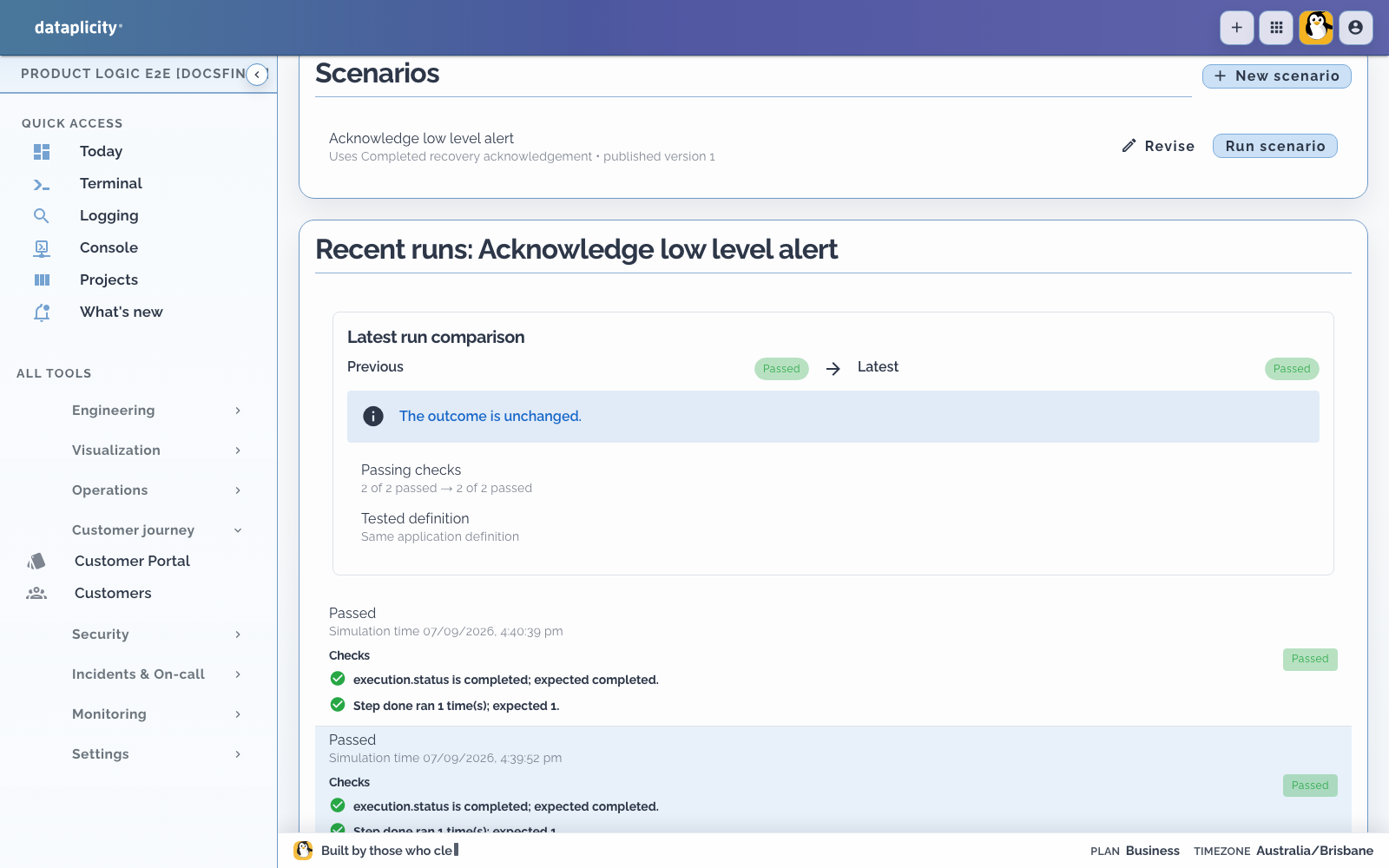
When a run fails, open its execution trace. Inspect the exact version, taken path, evaluated inputs, outputs, decisions, retries, and safety evidence before changing the Process.
Build reusable suites #
Tag related Scenarios with a value such as suite:release-smoke or suite:offline-recovery. The Scenarios page groups matching tags and runs the suite sequentially.
Sequential execution is deliberate because suite members may reset the same sandbox fixture. Do not infer that a suite tests concurrent behaviour.
Useful suites include:
- happy path and common operator mistakes
- timeout, rejection, and compensation
- offline and reconnect behaviour
- role and tenant-boundary checks
- schema and Process regressions for a release
Require checks before release #
Mark release-critical Scenarios as required. Then:
- Choose Prepare release checks.
- Run each named required Scenario against the prepared release candidate.
- Prepare the checks again after the runs finish.
- Continue only when the candidate is ready.
The release candidate binds the checks to the exact draft definition being tested. A later draft change produces a different candidate and requires fresh evidence. Continue with Release a Product Application.